TL;DR:
- Structured planning and stakeholder involvement are essential for successful school network upgrades.
- Phased rollout with testing and templates minimizes disruption and ensures consistency.
- Continuous monitoring and effective communication support optimal performance and user buy-in.
School network upgrades are rarely straightforward. IT managers in education face a uniquely demanding combination of tight budgets, legacy hardware, diverse user groups, and zero tolerance for classroom disruption. A failed deployment mid-term can affect hundreds of students and staff simultaneously. Yet many schools still approach network planning reactively, patching problems as they arise rather than following a structured, repeatable workflow. This guide walks through each stage of the planning process, from initial assessment to continuous improvement, giving your team a clear framework to deliver modern, resilient connectivity without the chaos.
Table of Contents
- Assessing requirements and preparing the groundwork
- Designing the optimal architecture and workflow
- Implementing the network in phases
- Continuous monitoring, troubleshooting and improvement
- What most guides miss: network planning is a people process
- Enhance your network planning with expert support
- Frequently asked questions
Key Takeaways
| Point | Details |
|---|---|
| Plan based on school needs | Assess technology goals and resources for a tailored network planning approach. |
| Choose the right architecture | Select a network design that fits school size and future growth. |
| Implement in phases | Reduce risks by using a phased rollout and early testing during deployment. |
| Monitor and enhance proactively | Employ continuous monitoring and user feedback to keep the network running smoothly. |
| Prioritise collaboration | Involve teachers and stakeholders early for better adoption and long-term success. |
Assessing requirements and preparing the groundwork
With an overview of the challenges established, it is crucial to start with preparatory work that determines project feasibility and sets a clear vision for the project ahead.
Define goals and establish stakeholder buy-in
Before touching a single cable or configuration file, your team needs to define what the network must achieve. This means translating digital learning goals into concrete technical requirements. How many concurrent devices will connect at peak times? What applications will run across the network, video conferencing, cloud-based learning platforms, assessment tools? What are the bandwidth expectations per classroom?
These questions shape every decision that follows. Documenting them formally, in a requirements specification, gives the project a reference point and prevents scope creep later.
Equally important is securing buy-in from school leadership. Senior stakeholders, including headteachers and finance leads, need to understand the project’s scope, timeline, and cost implications. Without their support, funding approvals stall and deployment schedules slip. Present the business case clearly, linking network investment to measurable outcomes such as improved digital learning capacity and reduced IT support overhead.
In-house versus outsourced planning
One of the first strategic decisions is whether to manage planning network infrastructure in-house or bring in external expertise. Schools with limited IT staff often lack the bandwidth (and the specialist skills) to handle large-scale network projects alongside day-to-day support. In those cases, outsourcing to a managed services provider delivers access to certified engineers without the overhead of permanent hires.
Larger schools or multi-academy trusts with dedicated IT teams may prefer to retain control in-house, using external partners for specific phases such as surveys or commissioning. Understanding your education IT needs honestly, rather than aspirationally, is essential to making the right call here, as Collegis Education notes when comparing in-house versus outsourced IT models for educational settings.
Audit existing hardware and document upgrade requirements
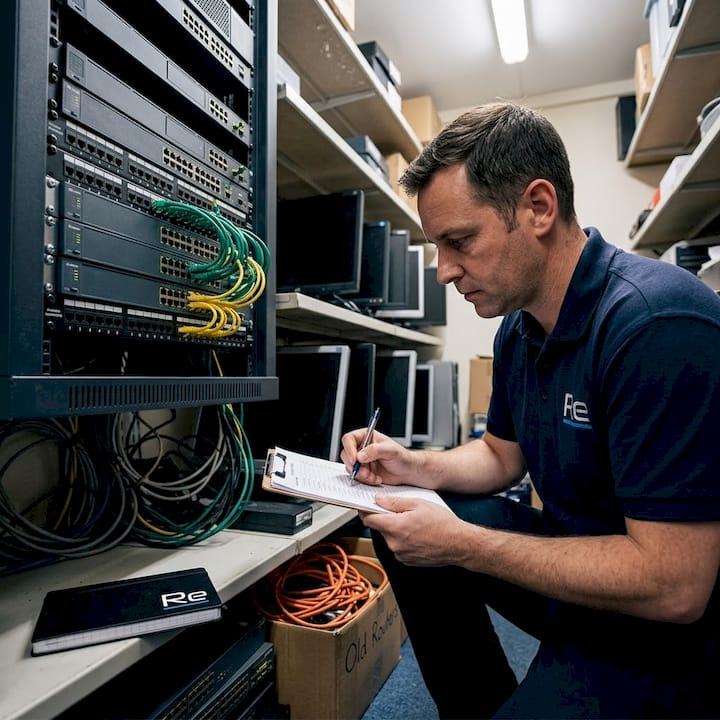
A network planning project built on inaccurate asset data will encounter problems at every stage. Conduct a full audit of existing switches, access points, routers, and cabling. Identify hardware that is end-of-life or incompatible with modern standards such as Wi-Fi 6 or Power over Ethernet Plus.
| Asset type | Assessment criteria | Common upgrade trigger |
|---|---|---|
| Access switches | Port speed, PoE support, age | End-of-life, no PoE+ support |
| Core switches | Throughput, redundancy | Insufficient capacity |
| Wireless access points | Wi-Fi standard, coverage | Wi-Fi 5 or older |
| Structured cabling | Category rating, condition | Cat5e or below |
| Firewall/router | Throughput, security features | Legacy firmware, low throughput |
Key preparatory actions include:
- Mapping all network closets and distribution points across the site
- Recording current VLAN structures and IP addressing schemes
- Identifying single points of failure in the existing topology
- Noting any planned building works that may affect cabling routes
Pro Tip: Use a network discovery tool such as Cisco DNA Center or SolarWinds Network Topology Mapper to automate asset discovery. Manual audits miss devices, particularly in older school buildings where documentation is sparse.
Designing the optimal architecture and workflow
Once requirements are clear, it is time to design an architecture that fits your school’s size and workflow for long-term success.
Three-tier versus collapsed core: choosing the right topology
The two dominant campus network topologies for schools are three-tier and collapsed core. The right choice depends on the size and complexity of your site.
| Factor | Three-tier architecture | Collapsed core architecture |
|---|---|---|
| Best suited for | Large campuses, multi-building sites | Smaller schools, single-building sites |
| Layers | Core, distribution, access | Combined core/distribution, access |
| Scalability | High | Moderate |
| Cost | Higher | Lower |
| Management complexity | Greater | Simpler |
A three-tier design separates the core, distribution, and access layers, providing clear traffic segmentation and high scalability. It suits large secondary schools or multi-academy trusts with complex connectivity requirements. A collapsed core merges the core and distribution layers into a single tier, reducing hardware costs and simplifying management. It is the practical choice for smaller primaries or single-building schools.
As Collegis Education highlights, the decision between these topologies should be size-dependent, and underlay hardware upgrades should be completed before any overlay SDN (Software Defined Networking) integration is attempted. Attempting to layer SDN capabilities onto ageing switches introduces instability and complicates troubleshooting.
Workflow design and phased rollout planning
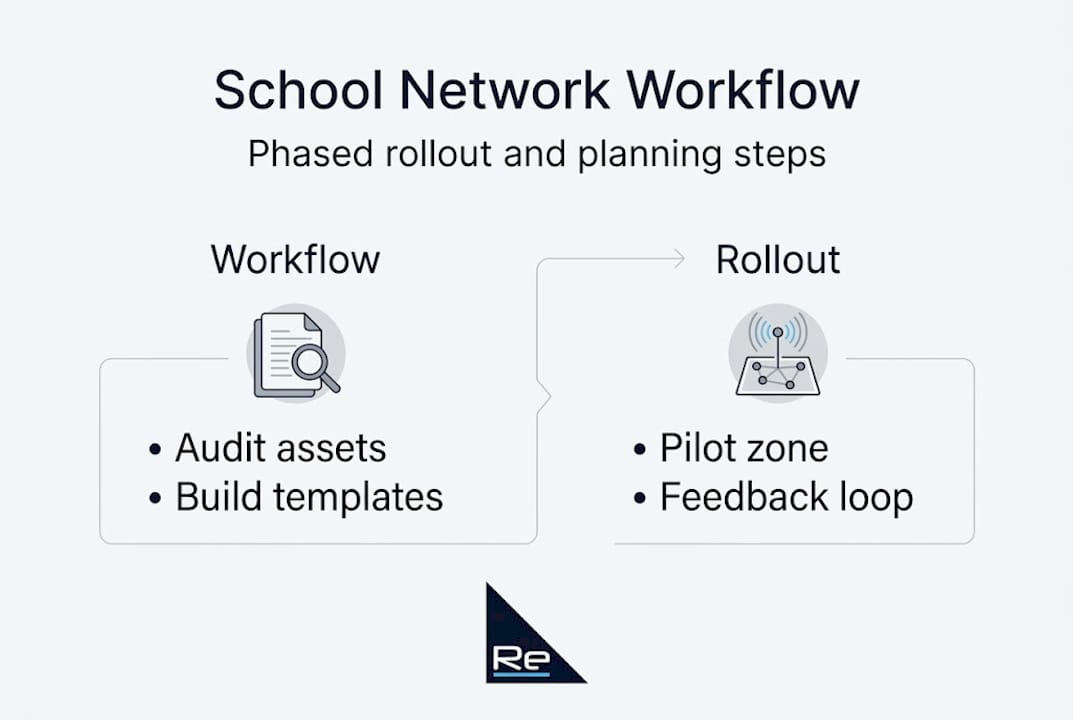
Good campus network design relies on a documented workflow, not improvisation. Establish a step-by-step sequence for each deployment phase and use configuration templates to ensure consistency across all switches and access points.
Following network design best practices, a structured design workflow typically follows this sequence:
- Finalise logical network diagram, including VLANs, subnets, and routing protocols
- Create and validate configuration templates for switches, APs, and firewalls
- Stage and test hardware in a lab environment before site deployment
- Define rollback procedures for each phase in case of failure
- Schedule deployment windows during low-usage periods, evenings or holiday breaks
A phased rollout, as ITU recommends, minimises disruption by limiting the blast radius of any issues. Deploying one building or one floor at a time means that a configuration error affects a fraction of users rather than the entire school.
Pro Tip: Build VLAN and IP addressing templates in a spreadsheet before touching any devices. Consistent naming conventions across all sites reduce errors and make future troubleshooting significantly faster.
Implementing the network in phases
After designing a suitable workflow, the focus shifts to methodically rolling out changes whilst minimising classroom disruption.
The four phases of a school network deployment
A structured deployment follows four distinct phases. Each phase has defined entry and exit criteria, preventing teams from rushing forward before earlier work is validated.
- Pre-staging: Configure all hardware off-site using validated templates. Test switch stacks, AP associations, and firewall policies in a controlled environment before anything reaches the school.
- Pilot deployment: Roll out to a single, low-risk area, such as an IT suite or administrative block. Run the pilot for a minimum of two weeks, collecting performance data and user feedback before proceeding.
- Full rollout: Deploy building by building or floor by floor, following the phased schedule. Use VLAN and configuration templates to maintain consistency. Confirm each zone is stable before moving to the next.
- Post-implementation review: Assess performance against baseline metrics. Document lessons learned and update runbooks for future reference.
“A phased rollout with testing minimises disruption and allows for early issue detection, whilst using templates for repeatability in VLANs and configurations ensures consistency across the entire network.”
Using templates and feedback loops
Configuration templates are not just a time-saving measure. They are a quality control mechanism. When every switch and access point is configured from the same validated baseline, the risk of human error drops substantially. Any deviation from the template becomes immediately visible during audits.
Feedback loops are equally important. After each deployment phase, gather input from teachers, IT support staff, and where appropriate, students. Their observations often surface issues that monitoring tools miss, such as poor Wi-Fi coverage in a specific classroom or authentication delays on particular devices.
Key actions during implementation:
- Conduct structured walkthroughs with teaching staff after each phase
- Log all reported issues in a centralised ticketing system
- Compare post-deployment performance data against pre-deployment baselines
- Provide targeted training sessions for staff on new network features, such as network access management tools or guest Wi-Fi portals
Following a clear network upgrade planning process ensures that each phase builds on the last, rather than introducing new variables that complicate the overall deployment.
Continuous monitoring, troubleshooting and improvement
Once implementation is complete, ongoing management and optimisation ensure network planning success continues into everyday school life.
Monitoring tools and baseline performance
Effective monitoring begins with establishing a performance baseline immediately after each deployment phase. Without a baseline, it is impossible to distinguish normal network behaviour from a developing problem.
The two most widely used protocols for network monitoring in education environments are SNMP (Simple Network Management Protocol) and NetFlow. SNMP provides device-level health data, CPU load, interface errors, memory utilisation, whilst NetFlow captures traffic flow data, showing which applications and users are consuming bandwidth. Together, they provide a complete picture of network health. As ITU recommends, continuous monitoring with SNMP and NetFlow is essential for maintaining a stable campus network.
Statistic: Schools that implement structured network monitoring report significantly faster mean-time-to-resolution for connectivity issues, as problems are detected proactively rather than after users report them.
Recommended monitoring actions:
- Set threshold alerts for interface utilisation, packet loss, and latency
- Schedule weekly automated reports on bandwidth consumption by VLAN
- Monitor wireless client counts and roaming behaviour across access points
- Track authentication failures, which often indicate misconfigured devices or policy issues
Building an escalation matrix
An escalation matrix defines who is responsible for resolving issues at each severity level. Without one, incidents escalate slowly and inconsistently, extending downtime.
A basic matrix for school IT teams should cover three tiers. Tier one handles first-line support, password resets, device reconnections, and basic troubleshooting. Tier two covers network-level issues, VLAN misconfigurations, AP outages, and switch failures. Tier three engages external specialists or the network vendor for complex or persistent faults.
Pro Tip: Review your network optimisation strategies at least once per academic year. Technology changes, user behaviour shifts, and new applications emerge that can alter traffic patterns significantly between September and July.
Soliciting ongoing feedback and reviewing the workflow
Monitoring tools capture quantitative data. Teacher and student feedback captures qualitative insight. Both are necessary for a complete picture of network performance.
Schedule termly feedback sessions with heads of department and IT support staff. Ask specific questions: Are video calls stable in classrooms? Do cloud platforms load reliably? Are there specific times of day when performance degrades? This information feeds directly into your network access policy workflow reviews, ensuring that policies remain aligned with actual usage patterns.
Regularly revisit the original requirements specification. If the school has adopted new digital tools, expanded its estate, or increased device numbers, the network design may need to evolve accordingly.
What most guides miss: network planning is a people process
Most technical guides focus almost entirely on protocols, topologies, and tools. They treat network planning as a purely technical exercise. In practice, the most common causes of delayed or failed school network projects are not technical at all. They are organisational.
Resistance to change from teaching staff, poor communication between IT and senior leadership, and inadequate training all create friction that no amount of technical precision can overcome. When teachers do not understand why the network is changing or how it will affect their lessons, they become a source of complaints rather than advocates for the project.
Early involvement makes a measurable difference. Inviting a representative group of teachers and administrative staff into the planning process, even just for a single workshop, surfaces practical requirements that IT teams would otherwise miss. It also builds trust. Staff who feel consulted are far more likely to support the rollout and report issues constructively.
The same principle applies to school leadership. Keeping headteachers and business managers informed at each milestone prevents the project from being perceived as an IT initiative disconnected from the school’s educational goals. Connecting network improvements to outcomes they care about, reliable digital exams, stable video lessons, reduced support calls, makes the case far more compellingly than a technical specification ever could.
Reviewing school infrastructure insights from schools that have completed similar projects reinforces this point consistently. The smoothest deployments share one characteristic: IT teams that invested as much effort in communication as in configuration.
Enhance your network planning with expert support
For IT leaders who want to ensure robust results, expert support and resources can make all the difference.

Re-Solution has supported schools and educational institutions with Cisco network planning, infrastructure upgrades, and managed connectivity for over 35 years. Whether you are starting with IT infrastructure made simple or exploring Network As A Service to reduce capital expenditure, our team provides practical, school-specific guidance at every stage. For institutions ready to move forward with structured planning network upgrades, we offer one-to-one consultations, site surveys, and detailed deployment support to ensure your project delivers lasting results.
Frequently asked questions
Should schools handle network planning in-house or outsource it?
Schools with limited IT staff often benefit from outsourcing, whilst larger schools or multi-academy trusts with dedicated teams may manage effectively in-house, particularly when supported by a specialist partner for complex phases.
What is the difference between a three-tier and a collapsed core network design?
A three-tier design offers greater scalability for large, multi-building campuses, whilst a collapsed core suits smaller schools where simplicity and lower cost take priority over advanced segmentation.
How can downtime be minimised during network upgrades?
A phased rollout with pilot testing limits the impact of any issues to a single zone, allowing the team to resolve problems before they affect the wider school.
What are essential tools for monitoring school networks?
SNMP and NetFlow are the most reliable protocols for continuous monitoring, providing both device-level health data and application-level traffic analysis.
Why involve teachers in network planning?
Teachers provide direct insight into how technology is used in classrooms, ensuring the network design supports real learning workflows rather than assumptions made in isolation by the IT team.
Recommended
- Network Infrastructure Planning Simplified | Re-Solution
- Network Infrastructure Planning Simplified | Re-Solution
- Effective network access management for schools in 2026
- Plan network upgrades: step-by-step logistics for success