TL;DR:
- A thorough network audit is essential before planning upgrades to identify hardware, security gaps, and capacity issues.
- Phased, well-coordinated implementation minimizes disruption and reduces post-deployment instability.
- Proper budgeting, stakeholder alignment, and expert support are critical for successful, sustainable network upgrades.
A failed network upgrade does not just create technical headaches. It halts production lines, disrupts student learning, and erodes confidence in your IT function. Downtime in manufacturing averages 30 hours per month, and poorly planned upgrades are a leading contributor. For IT managers and decision-makers in education and manufacturing, the stakes are high. This guide provides a structured, step-by-step approach to planning network upgrade logistics, covering everything from initial audits to post-deployment monitoring, so you can deliver a seamless transition without compromising operations.
Table of Contents
- Assess needs: auditing and requirements gathering
- Design: security, segmentation, and architecture choices
- Budgeting, funding, and resource allocation
- Implementation: minimising disruption
- Verification, training, and ongoing management
- Why phased upgrade logistics are often underrated
- Get tailored support for network upgrade logistics
- Frequently asked questions
Key Takeaways
| Point | Details |
|---|---|
| Thorough audits first | Start with detailed audits and surveys to surface all upgrade requirements and risks. |
| Segment for security | Design segmentation and redundancy into your network for improved protection and flexibility. |
| Budget comprehensively | Account for hardware, installation, training, and funding sources before committing resources. |
| Minimise disruption | Implement using parallel networks and off-hours migration for zero-downtime transitions. |
| Invest in verification | Ongoing monitoring, training, and refresh cycles are vital for sustainable network performance. |
Assess needs: auditing and requirements gathering
A successful upgrade starts with knowing exactly what you have. Before specifying a single piece of hardware, conduct a thorough review of your existing infrastructure. This means more than a quick look at your switch room. It means a methodical audit covering every component, connection, and coverage area across your site.
Network audits and site surveys are the critical first step, helping you identify legacy hardware, capacity constraints, and security vulnerabilities before they become upgrade-day surprises. Without this baseline, you are effectively designing a solution for a problem you have not fully defined.
Key activities during this phase include:
- Hardware inventory: Catalogue all switches, access points, routers, firewalls, and cabling, noting age and condition.
- Coverage and capacity heatmaps: Use Wi-Fi survey tools to identify dead zones and overloaded segments.
- Bandwidth analysis: Measure peak usage patterns, not just averages.
- Security gap assessment: Identify unpatched devices, unsecured ports, and non-compliant configurations.
- Legacy system documentation: Flag systems that may not support modern protocols.
Educational institutions typically need to account for high device density, with hundreds of student and staff devices competing for bandwidth. Manufacturing environments present different challenges: IoT sensors, production cell controllers, and legacy SCADA systems that require careful integration planning.
| Environment | Key audit focus areas |
|---|---|
| Education | Device density, guest Wi-Fi, safeguarding compliance |
| Manufacturing | IoT integration, SCADA compatibility, uptime requirements |
Tools such as Cisco Crosswork provide automated topology discovery and capacity planning data that significantly reduce manual effort. Pair this with a robust network infrastructure checklist to ensure nothing is overlooked. Understanding reasons for network upgrades in your specific sector also helps frame requirements correctly from the outset.
Pro Tip: Do not rely solely on existing documentation. Physical walkthroughs frequently uncover undocumented cabling, rogue access points, and hardware that has been forgotten but remains active on the network.
Design: security, segmentation, and architecture choices
With your baseline established, now design a network that provides robust security, scalability, and flexibility. Architecture decisions made at this stage will shape your network’s performance and resilience for years ahead.

Hierarchical network models, where access, distribution, and core layers are clearly defined, remain the standard for enterprise and campus environments. This structure simplifies troubleshooting, supports traffic prioritisation, and enables future expansion without wholesale redesign.
VLAN segmentation is essential for isolating critical devices and users. In an educational setting, student traffic, staff systems, and administrative servers should never share the same network segment. In manufacturing, production cells, guest Wi-Fi, and office systems require strict separation.
A phased approach to rollout and a big bang deployment each carry distinct trade-offs:
| Approach | Advantages | Disadvantages |
|---|---|---|
| Phased | Lower risk, easier rollback, real-time adjustment | Longer timelines, parallel infrastructure costs |
| Big bang | Faster completion, single cutover event | Higher risk, limited rollback options |
Design considerations you must address in sequence:
- Define logical network zones based on user type, device category, and data sensitivity.
- Select switching and routing hardware with sufficient throughput for five-year growth projections.
- Configure Quality of Service (QoS) to prioritise latency-sensitive traffic such as VoIP and video.
- Integrate Zero Trust security principles, requiring verification for every device and user before granting access.
- Plan redundancy: dual uplinks, failover paths, and uninterruptible power supplies for critical nodes.
Cisco CPwE architecture with redundancy and Zero Trust security is specifically recommended for manufacturing environments where uptime and safety are non-negotiable. Refer to established best practices for network design and ensure your network infrastructure planning documentation captures all design decisions for future reference.
Pro Tip: Build your segmentation model around the principle of least privilege. Every device should access only what it needs, nothing more. This single design decision eliminates a vast proportion of lateral movement risks.
Budgeting, funding, and resource allocation
With requirements and architecture clear, effective budgeting ensures the project is both feasible and sustainable. Cost overruns are among the most common reasons network upgrades stall or deliver partial results.
Installation accounts for approximately 60% of total project cost, a figure that surprises many decision-makers who focus primarily on hardware pricing. Labour, cable installation, conduit work, and configuration time add up quickly, particularly in older buildings with complex infrastructure.
A realistic budget must account for:
- Hardware: Switches, access points, firewalls, and cabling.
- Installation and labour: Physical installation, configuration, and commissioning.
- Training: IT staff and end-user training programmes.
- Ongoing support: Maintenance contracts, monitoring tools, and refresh provisions.
- Contingency: A minimum of 10 to 15% for unforeseen complications.
| Cost category | Estimated share of total budget |
|---|---|
| Installation and labour | ~60% |
| Hardware and cabling | ~25% |
| Training and documentation | ~8% |
| Contingency | ~7% |
Funding options vary by sector. Educational institutions in the UK should explore government capital funding, local authority grants, and, where applicable, international benchmarks such as the E-rate programme in the US as a model for structured funding advocacy. Manufacturing organisations can often access productivity improvement grants or R&D tax credits where network upgrades support digital transformation initiatives.
Stakeholder alignment is equally critical. Finance, IT, and operations leaders must agree on priorities before procurement begins. Late-stage changes to scope are a leading cause of budget overruns. Exploring options to modernise IT infrastructure and understanding how customising IT solutions to your environment reduces waste can both strengthen your business case.
Statistic: Underestimating training costs is one of the most common budget pitfalls. Factor in structured onboarding for IT staff and awareness sessions for end users to avoid post-deployment support overruns.
Implementation: minimising disruption
With resources and design set, the next challenge is smooth, low-impact implementation. Execution quality determines whether your users notice the upgrade at all, or whether they experience it as weeks of instability.
Parallel installation is the most effective risk-reduction strategy available. By building the new network alongside the existing one, you maintain service continuity throughout the transition. Users stay productive while the new infrastructure is configured, tested, and validated.
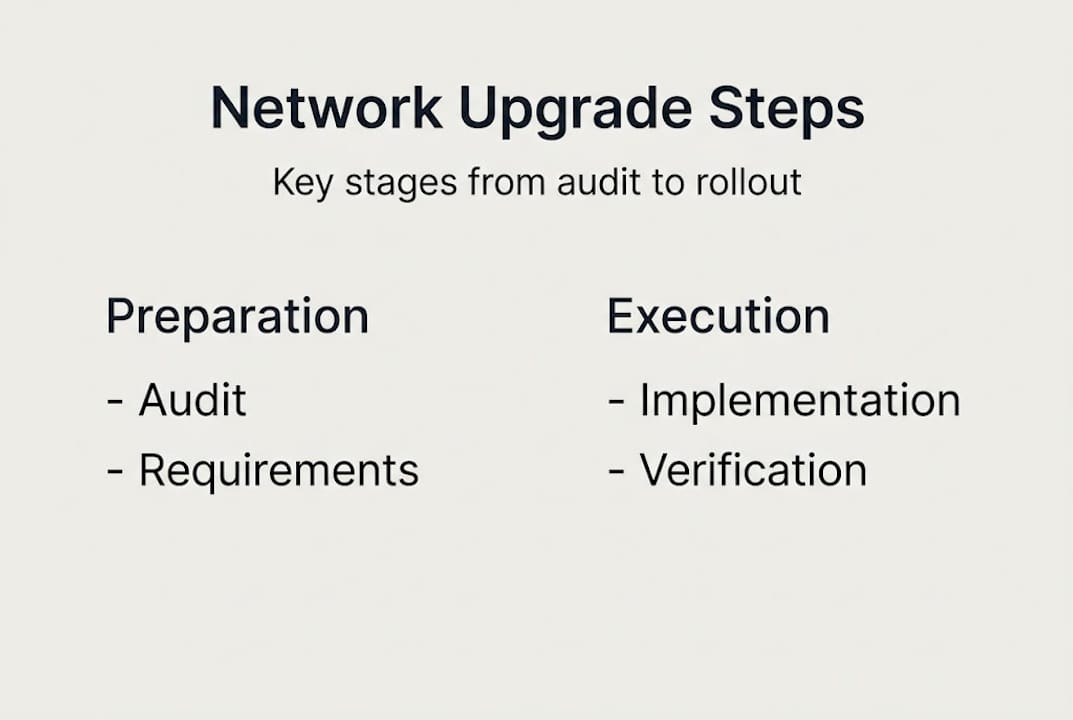
A structured implementation sequence:
- Install new physical infrastructure, cabling, and passive components first.
- Configure and test the core and distribution layers before touching access.
- Migrate non-critical services and test user groups to the new network first.
- Move DHCP, DNS, and authentication services during a scheduled maintenance window.
- Communicate change windows clearly to all affected users, including academic staff, students, or production supervisors.
- Validate performance and connectivity at each stage before proceeding.
Parallel network installation to avoid downtime and migrating services off-hours is well-established best practice for enterprise environments. Equally, phased approaches reduce risk but do extend timelines, which must be factored into stakeholder expectations from the outset.
“Testing and validating each phase before cutover is not optional. It is the mechanism by which you prove the new network is ready, and it is your last opportunity to catch problems before they affect users at scale.”
A comprehensive step-by-step network upgrade guide can help your team maintain consistency across complex, multi-site rollouts.
Pro Tip: Assign a dedicated communications lead during implementation. Proactive updates to staff and production teams prevent rumour, reduce support ticket volumes, and maintain confidence in the project.
Verification, training, and ongoing management
After rollout, ongoing verification and user support turn your upgrade into a lasting success. Too many organisations declare victory at go-live, only to find performance issues emerging weeks later as usage patterns shift.
Post-deployment activities should follow a structured plan:
- Performance testing: Run load tests, latency measurements, and coverage checks across all zones.
- Security validation: Confirm that segmentation, authentication policies, and firewall rules are functioning as designed.
- Documentation: Update all network diagrams, configuration records, and asset registers to reflect the new state.
- IT staff training: Ensure your support team can manage, troubleshoot, and extend the new infrastructure confidently.
- End-user awareness: Brief staff, students, or production personnel on new connectivity procedures, password policies, or device registration processes.
- Monitoring setup: Deploy network monitoring tools to track performance, flag anomalies, and generate capacity trend data.
Ongoing monitoring, documentation, and training are essential components of a sustainable network operation. Establishing refresh cycles aligned with technology lifecycles, typically three to five years for core hardware, ensures the infrastructure does not quietly degrade back towards the state that prompted the upgrade in the first place.
Record lessons learned formally. What went well, what took longer than expected, and what would you approach differently are all valuable inputs for the next upgrade cycle. Reviewing secure network design examples from similar environments provides useful benchmarks for ongoing improvement.
Why phased upgrade logistics are often underrated
Most post-upgrade reviews focus on technology choices: was the hardware right, did the architecture perform as expected? Far fewer critically examine the logistics approach that underpinned delivery. This is where projects most commonly fail, and where the biggest gains are available.
Phased logistics planning limits risk exposure at every stage. If a configuration error emerges in phase one, it is contained and correctable before it affects the broader estate. Cross-departmental coordination, between IT, facilities, finance, and operations, is not administrative overhead. It is the mechanism by which technical decisions become operational realities.
Rushed big bang deployments frequently create more post-launch instability than the legacy network they replaced. The pressure to complete quickly leads to skipped validation steps and under-resourced training. The result is a technically superior network that the organisation cannot yet operate effectively.
Championing network planning strategies as a strategic function, not just a technical checkbox, is what separates IT leaders who deliver lasting outcomes from those who repeatedly revisit the same problems. Phased approaches, executed with rigour, consistently deliver measurable gains in uptime, security posture, and team confidence.
Get tailored support for network upgrade logistics
For leaders ready to put these logistics into practice with confidence, leveraging expert support can make all the difference.

Re-Solution brings over 35 years of Cisco expertise to network upgrade projects across education and manufacturing. From professional network audits that establish your true baseline, to fully managed rollouts and Network as a Service models that remove capital expenditure pressure, the support is tailored to your environment and sector. Whether you are planning a single-site refresh or a multi-campus transformation, working with specialists reduces risk and accelerates delivery. Explore how Re-Solution can help you modernise IT infrastructure and book a consultation to plan your next upgrade with confidence.
Frequently asked questions
What is the first step in planning a network upgrade?
The process begins with a thorough network audit and site survey to uncover hardware issues, capacity needs, and security gaps before any design or procurement decisions are made.
How can schools or manufacturers minimise downtime during a network upgrade?
Deploying a parallel network installation and migrating services outside business hours are the most effective methods for minimising disruption and containing risk during cutover.
What portion of the budget should be allocated to installation?
Installation typically accounts for approximately 60% of the total network upgrade budget, making it the single largest cost category to plan for accurately.
Why is network segmentation important for security?
VLAN segmentation isolates users and devices into distinct network zones, preventing a breach in one area from spreading laterally to critical systems elsewhere on the network.
How often should network infrastructure be reviewed or refreshed?
Ongoing monitoring and refresh cycles aligned with hardware lifecycles, generally every three to five years for core components, ensure sustained reliability, security compliance, and operational performance.
Recommended
- Network Infrastructure Planning Simplified | Re-Solution
- Network Infrastructure Planning Simplified | Re-Solution
- Why upgrade network infrastructure? Boost performance and security
- How to Optimize Networks for Peak Performance 2025 | Re-Solution