A single overlooked misconfiguration can halt classroom lessons mid-session, delay hotel check-ins, or stop a production line cold. The consequences extend beyond inconvenience: regulatory penalties, reputational damage, and costly emergency remediation follow quickly. For IT managers in education, manufacturing, and hospitality, a generic checklist simply will not cut it. Each sector carries distinct compliance obligations, asset profiles, and uptime expectations. This guide presents a structured, expert-driven network infrastructure checklist that addresses universal requirements alongside sector-specific demands, giving your team a practical framework for optimising connectivity, security, and long-term compliance.
Table of Contents
- Core checklist criteria for robust network infrastructure
- Critical network inventory and device security checks
- Wireless security, rogue AP detection, and policy compliance
- Segmentation, IoT isolation, and legacy operational technology (OT) checks
- Automation and monitoring: from manual checklists to real-time assurance
- Why most network checklists fail (and what actually works)
- Optimise your network with expert support
- Frequently asked questions
Key Takeaways
| Point | Details |
|---|---|
| Build robust foundations | Start with industry standards, redundancy, and regular configuration reviews. |
| Secure every device | Maintain a constantly updated inventory and automate device security checks. |
| Prioritise wireless safety | Actively scan for rogue APs and enforce strict encryption policies. |
| Segment and isolate critical assets | Use VLANs and isolation to protect IoT and legacy technology. |
| Automate monitoring and audits | Implement real-time tools for ongoing compliance and rapid issue detection. |
Core checklist criteria for robust network infrastructure
After understanding why you must get the basics right, let’s clarify what should anchor every robust checklist. A strong foundation combines physical verification, configuration standards, and redundancy planning. Miss any one of these, and the rest of your checklist loses its reliability.
Every credible checklist should include the following steps:
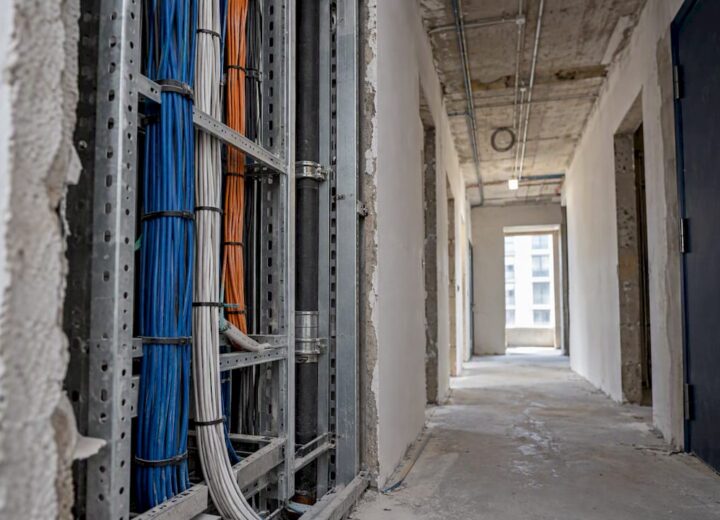
- Conduct physical site surveys. Walk the environment to confirm cable management, rack organisation, and hardware placement. Conduct site surveys and test redundancy with monitoring tools to catch physical vulnerabilities before they become outages.
- Apply configuration standards. Align all device configurations to recognised benchmarks such as CIS (Centre for Internet Security) controls. Consistency here prevents configuration drift across switches, routers, and firewalls.
- Verify redundancy and failover protocols. Confirm that failover mechanisms are active and tested. Redundant links, power supplies, and backup routing paths should be documented and regularly validated.
- Address sector-specific compliance requirements. Education institutions must consider safeguarding and data protection obligations. Manufacturing sites must account for operational technology (OT) uptime. Hospitality venues must manage guest data under GDPR.
- Schedule a peer-review cycle. After completing the checklist, have a second engineer or external specialist validate findings before sign-off.
Understanding essential infrastructure components is the starting point for building a checklist that reflects your actual environment rather than a theoretical one. Equally, planning network infrastructure from the outset reduces the number of reactive fixes needed later.
“A checklist without peer validation is just a list. Structured review processes catch the errors that familiarity causes you to miss.”
Pro Tip: Assign checklist ownership to a named individual per site. Shared responsibility without clear accountability leads to gaps, particularly across multi-site environments where IP’s role in network support becomes critical for accurate asset tracking.
A thorough network audits overview can help you identify which criteria apply most urgently to your sector and scale.
Critical network inventory and device security checks
Now that you have identified foundational requirements, let’s focus on managing the heart of your infrastructure: inventory and security. You cannot secure what you cannot see. An accurate, up-to-date asset inventory is the single most important prerequisite for any meaningful security posture.
Your inventory and device security checklist should cover:
- Switches and routers. Record make, model, firmware version, and physical location. Flag any end-of-life hardware immediately.
- Firewalls and intrusion prevention systems. Confirm rule sets are current and that no legacy rules remain active without justification.
- Wireless access points (APs). Document every AP, including those in temporary or overflow spaces. Unmanaged APs are a common entry point for attackers.
- IoT and guest devices. List all connected devices that fall outside your managed estate. These require separate handling, covered in a later section.
- Configuration consistency. Verify device configurations against industry benchmarks for every audit. Inconsistent configurations across similar devices are a leading cause of undetected vulnerabilities.
For manufacturing environments, this step is especially important. Production floor devices, including programmable logic controllers (PLCs) and industrial sensors, are frequently overlooked in standard IT inventories but carry significant risk if compromised.

Pro Tip: Schedule automated scans using tools such as Nmap or your existing network management platform to flag asset drift between manual audit cycles. Drift, where devices appear, disappear, or change configuration without authorisation, is one of the earliest indicators of a security incident.
Reviewing infrastructure component checks in detail helps teams understand which device categories require the most rigorous verification cycles.
Wireless security, rogue AP detection, and policy compliance
With asset inventories secured, next is keeping wireless networks protected, policy-compliant, and audit-ready. Wireless networks present a uniquely high-risk surface, particularly in environments where guest access is routine, such as hotels, university campuses, and shared workspaces.
Follow these steps to maintain wireless security:
- Deploy automated rogue AP detection. Multi-site environments require rogue AP detection and high-density guest network checks as standard practice. Manual detection is too slow and too infrequent to be effective.
- Segregate SSIDs. Maintain strict separation between internal staff networks and guest-facing SSIDs. Bridging these, even temporarily, creates a direct path for lateral movement by attackers.
- Enforce WPA3 encryption. Where hardware supports it, WPA3 is the current minimum standard. Devices that cannot support WPA3 should be flagged for replacement.
- Audit wireless policies quarterly. Confirm that access policies, including time-based restrictions and bandwidth controls, align with current organisational requirements.
- Review guest network isolation. Guest users should have internet access only, with no visibility of internal resources.
The scale of wireless risk in hospitality is significant. Research indicates that up to 75% of breaches exploit unsecured endpoints, a figure that underscores why wireless policy compliance cannot be treated as a secondary concern.
For practical guidance, reviewing wireless network safety best practices alongside your planning wireless infrastructure documentation ensures your wireless estate is both secure and scalable.
Segmentation, IoT isolation, and legacy operational technology (OT) checks
Managing wireless threats leads naturally to handling sensitive segments and integrating modern and legacy devices. Network segmentation is not optional for organisations running mixed environments. It is the primary control that limits the blast radius of any single compromise.
Key checklist items for segmentation and OT:
- VLAN configuration. Confirm that VLANs are correctly assigned and that inter-VLAN routing is restricted to authorised traffic only.
- Subnetting discipline. Each functional zone, staff, guest, IoT, and OT, should occupy a distinct subnet with firewall rules governing all cross-zone traffic.
- IoT device isolation. Edge cases include isolating IoT systems and patching old OT without causing downtime. IoT devices should never share a network segment with core business systems.
- Legacy OT patching. Apply patches using phased rollouts. Test in a parallel environment before deploying to live systems to avoid production disruption.
- Access control reviews. Confirm that role-based access controls (RBAC) are applied consistently across all segments.
The table below summarises recommended segmentation zones for common sectors:
| Sector | Recommended segments | Primary risk addressed |
|---|---|---|
| Education | Staff, student, IoT, admin | Data protection, safeguarding |
| Manufacturing | IT, OT, IoT, guest | Production continuity, IP theft |
| Hospitality | Staff, guest, POS, management | PCI-DSS compliance, guest privacy |
Pro Tip: Maintain a parallel test environment specifically for OT updates. Applying untested patches directly to live OT systems is one of the most common causes of unplanned manufacturing downtime. Reviewing network segmentation guidance provides a structured approach to implementing these controls without disrupting operations. Understanding IP masking strategies can also support privacy controls within segmented environments.
Automation and monitoring: from manual checklists to real-time assurance
Finally, the most forward-looking check is evolving from static lists to dynamic, automated monitoring. A checklist completed once a year is a snapshot. What organisations in education, manufacturing, and hospitality actually need is continuous assurance that their network remains compliant and resilient between formal reviews.
Automation with tools like PRTG enables continuous audits and reduces mean time to recovery (MTTR), which translates directly into fewer prolonged outages and faster incident response.
The comparison below illustrates the practical difference:
| Capability | Manual checklist | Automated monitoring |
|---|---|---|
| Frequency | Periodic (quarterly or annual) | Continuous, real-time |
| Drift detection | Identified at next review | Flagged immediately |
| Alert speed | Days to weeks | Seconds to minutes |
| Compliance reporting | Manual compilation | Automated report generation |
| Resource requirement | High (engineer time) | Low (once configured) |
Tools such as PRTG and SolarWinds provide dashboards that surface configuration drift, bandwidth anomalies, and device failures in real time. Integrating these into your checklist process means your team is alerted to issues before they escalate into incidents.
“Continuous monitoring does not replace the checklist. It validates it, every minute of every day.”
For teams looking to strengthen their approach, reviewing network monitoring techniques provides a practical starting point for selecting and configuring the right toolset for your environment.
Why most network checklists fail (and what actually works)
Drawing together all technical steps, here is what experience reveals about checklist pitfalls and genuine effectiveness. The most common failure is not a missing technical item. It is a checklist that was designed for a generic environment and applied without adjustment to a specific one.
A school network has fundamentally different risk priorities than a hotel or a factory floor. When teams apply the same static document across all three, they inevitably miss sector-specific controls and overweight irrelevant ones. The result is a checklist that creates a false sense of security.
What actually works is a living document: one that is reviewed after every significant infrastructure change, updated when new device categories are introduced, and validated by someone who was not involved in completing it. Automation is not a replacement for this process. It is the mechanism that keeps the checklist honest between formal reviews.
Organisations that treat their checklist as a compliance artefact rather than an operational tool consistently underperform on incident response times and audit outcomes. Those that integrate real-world checklist planning into their day-to-day network management see measurably better results. The difference is not technology. It is discipline and context.
Optimise your network with expert support
For organisations ready to transform their network resilience, actionable guidance and professional help await. Re-Solution brings over 35 years of Cisco expertise to every engagement, supporting IT teams across education, manufacturing, and hospitality with structured assessment, design, and ongoing monitoring.

Whether you need a formal network audits service to benchmark your current estate or want to understand how managed monitoring can replace manual processes, Re-Solution’s specialists provide clear, practical guidance tailored to your sector. Explore network solutions explained to see how a structured approach to infrastructure planning, security, and compliance can reduce risk and improve operational continuity across your sites.
Frequently asked questions
What are the most important items on a network infrastructure checklist?
Redundancy and secure configuration are core items, alongside asset inventories, wireless security controls, and continuous monitoring. Together, these form the baseline for any compliant, resilient network.
How often should network infrastructure be audited?
Automation shifts audits from annual to continuous, but manual reviews remain advisable on a quarterly basis for most sectors to validate automated findings and address contextual changes.
Why is IoT isolation on the checklist?
Isolating IoT prevents rogue access and reduces breach risk by ensuring that IoT isolation for enhanced security keeps connected devices away from core systems and sensitive data.
What tools are best for network monitoring and checklist automation?
PRTG and SolarWinds are recommended monitoring tools that offer comprehensive automation features, enabling teams to track compliance and detect configuration drift in real time.
Recommended
- Network Infrastructure Planning Simplified | Re-Solution
- Network Infrastructure Planning Simplified | Re-Solution
- Essential Network Infrastructure Guide | Re-Solution
- Clear Strategies to Tackle Network Infrastructure | Re-Solution
- Cybersecurity checklist for employees to prevent breaches