TL;DR:
- IT infrastructure encompasses all physical and virtual resources supporting organizational computing environments, including hardware, software, and security systems. Different models like on-premises, cloud, hybrid, hyperconverged, virtualized, and serverless offer varying control, scalability, and cost benefits tailored to specific needs. Successful deployment relies more on effective integration and observability than on choosing a particular infrastructure type alone.
IT infrastructure is defined as the complete set of hardware, software, networks, cloud services, security controls, data management systems, and operations tooling that supports an organisation’s computing environment. Understanding the distinct types of IT infrastructure is the foundation for every strategic decision you make about connectivity, security, and operational efficiency. The primary models in 2026 are traditional on-premises, cloud (IaaS, PaaS, SaaS), hybrid, hyperconverged, virtualised, and serverless. Each carries a different balance of control, cost, and scalability. Choosing the wrong model for your organisation’s size, compliance obligations, or growth trajectory is one of the most expensive mistakes an IT decision-maker can make.
1. What is IT infrastructure? Defining the core components

IT infrastructure components span seven distinct domains: hardware (servers, networking equipment, end-user devices), software (operating systems, virtualisation platforms, databases), cloud services, identity and access management, encryption and security tooling, data management, and operations monitoring. This classification matters because it separates the physical layer from the logical and service layers, each of which requires different governance and investment decisions.
The term “IT infrastructure” is sometimes used loosely to mean just servers and cables. The accurate industry definition is broader. It encompasses every resource, physical or virtual, that keeps applications running and data accessible. Organisations that treat it narrowly tend to underinvest in security and observability, which creates fragility at scale.
2. Traditional on-premises IT infrastructure
Traditional on-premises infrastructure is the deployment model where an organisation owns and operates all physical hardware within its own facilities or a co-located data centre. This includes rack-mounted servers, dedicated storage arrays, physical firewalls, and managed switches, all configured and maintained by internal teams or contracted engineers.
The primary advantages of this model are:
- Full data sovereignty. Data never leaves your physical control, which is critical for sectors subject to UK GDPR, FCA regulations, or NHS data handling requirements.
- Maximum customisation. Hardware specifications, network topology, and security policies are entirely within your control.
- Predictable performance. Workloads are not competing with other tenants for shared resources.
- Suitability for legacy applications. Many manufacturing and logistics systems run on software that cannot be containerised or migrated to cloud environments without significant re-engineering.
The drawbacks are equally significant. Capital expenditure is high, refresh cycles are long, and scaling up requires procurement lead times measured in weeks rather than minutes. Organisations in education or housing that need to expand capacity quickly will find traditional infrastructure a constraint rather than an asset.
Pro Tip: If regulatory compliance is your primary reason for staying on-premises, audit your actual data classification first. Many organisations discover that only a subset of their workloads require on-premises residency, which opens the door to a hybrid model for everything else.
3. Cloud IT infrastructure models: IaaS, PaaS, and SaaS
Cloud service models differ by the level of control handed to the customer versus managed by the provider. Understanding this distinction is non-negotiable before committing budget to any cloud platform.
| Model | What you manage | What the provider manages | Example |
|---|---|---|---|
| IaaS | OS, middleware, applications, data | Virtualisation, servers, storage, networking | AWS EC2, Microsoft Azure VMs |
| PaaS | Applications and data | Runtime, middleware, OS, infrastructure | Heroku, Google App Engine |
| SaaS | Nothing (configuration only) | Everything | Salesforce, Microsoft 365 |
The key benefits of cloud infrastructure models apply across all three tiers:
- Pay-as-you-go pricing eliminates large upfront capital expenditure.
- Capacity scales in minutes rather than weeks.
- Hardware refresh and patching responsibility shifts to the provider.
- Remote and distributed teams gain consistent access without VPN complexity.
IaaS suits organisations that need full OS-level control but want to avoid owning physical hardware. PaaS accelerates development teams by removing infrastructure management from their workflow entirely. SaaS delivers ready-to-use applications with minimal IT overhead, which is why it dominates in education and hospitality sectors where IT teams are lean.
Pro Tip: Avoid treating cloud as a cost-saving measure by default. Lift-and-shift migrations of on-premises workloads to IaaS frequently increase costs. Cloud economics favour workloads designed for elastic scaling, not static ones running 24 hours a day.
4. Hybrid IT infrastructure: balancing control and cloud agility
Hybrid IT infrastructure combines on-premises hardware with one or more cloud environments, connected through private networking, VPNs, or dedicated links such as AWS Direct Connect or Azure ExpressRoute. The model suits organisations that cannot fully migrate to cloud due to regulatory constraints, latency requirements, or legacy application dependencies.
The practical advantages of hybrid infrastructure are:
- Sensitive workloads remain on-premises while less critical systems benefit from cloud scalability.
- Gradual cloud adoption reduces migration risk and allows teams to build cloud competency incrementally.
- Disaster recovery becomes more cost-effective by replicating on-premises data to cloud storage rather than maintaining a secondary physical site.
Choosing the right model for hybrid deployments depends on factors including compliance requirements, existing system architecture, budget, and the technical maturity of the internal team. Hybrid is not a permanent destination for most organisations. It is a transition state that requires active governance to prevent sprawl.
5. Hyperconverged infrastructure: unified compute, storage, and networking
Hyperconverged infrastructure integrates compute, storage, and networking into a single software-defined system managed through a centralised interface. Vendors such as Nutanix and VMware vSAN deliver this model, replacing separate hardware silos with a unified appliance-based architecture.
| Feature | Traditional three-tier | Hyperconverged |
|---|---|---|
| Management | Separate tools per layer | Single pane of glass |
| Scalability | Add individual components | Scale nodes uniformly |
| Deployment speed | Weeks | Days |
| Failure domain | Component-level | Node-level |
The efficiency gains are most pronounced in organisations running multiple branch locations or edge computing environments, such as manufacturing plants or logistics warehouses, where deploying and managing separate compute and storage hardware at each site is operationally expensive. Hyperconverged nodes can be replicated identically across sites, reducing configuration drift and simplifying support.
The trade-off is vendor lock-in. Hyperconverged platforms are tightly coupled to their software stack, which limits flexibility when requirements change.
6. Virtualised infrastructure: maximising physical hardware value
Virtualised infrastructure enables multiple virtual machines to run on a single physical host, with each VM operating as an isolated environment with its own OS, memory allocation, and storage. VMware vSphere, Microsoft Hyper-V, and the open-source KVM hypervisor are the dominant platforms for this model.
The operational benefits extend well beyond hardware consolidation:
- Development and testing teams can spin up identical copies of production environments in minutes.
- Snapshots enable rapid rollback after failed updates or configuration changes.
- Disaster recovery becomes faster and more reliable because entire virtual machines can be replicated to secondary sites or cloud storage.
- Licence costs for physical servers decrease as consolidation ratios improve.
Virtualisation is the foundational layer beneath both hyperconverged and cloud infrastructure. Understanding it is not optional for any IT professional managing on-premises or hybrid environments.
Pro Tip: Monitor VM sprawl actively. Virtualisation makes it trivially easy to create new environments, and unmanaged growth leads to wasted compute resources, licence overruns, and security blind spots from forgotten VMs running outdated software.
7. Serverless infrastructure: abstracting operations from development
Serverless infrastructure is a cloud execution model where the provider manages all server provisioning, scaling, and maintenance. Developers deploy code as discrete functions, and the platform handles everything beneath the application layer. AWS Lambda, Azure Functions, and Google Cloud Run are the primary examples.
The name is technically misleading. Servers still exist. The difference is that neither the developer nor the IT team manages them. This abstraction delivers automatic scaling in response to demand, billing measured in milliseconds of execution time rather than reserved capacity, and zero patching or OS management overhead.
Serverless suits event-driven workloads, APIs with unpredictable traffic patterns, and data processing pipelines. It is less suited to long-running processes or applications requiring persistent connections. For organisations in sectors like hospitality or shared workspaces, serverless back-ends can handle booking systems or access control APIs without the overhead of managing dedicated application servers.
8. Comparing infrastructure types: which model fits your organisation?
Selecting the right infrastructure requires mapping your organisation’s control requirements, compliance obligations, budget constraints, and growth projections against the characteristics of each model.
| Infrastructure type | Control | Scalability | Cost model | Best suited for |
|---|---|---|---|---|
| Traditional on-premises | Highest | Low | High capex | Regulated industries, legacy systems |
| IaaS cloud | High | High | Variable opex | Flexible compute, dev/test |
| PaaS cloud | Medium | High | Variable opex | Development teams |
| SaaS cloud | Low | Automatic | Subscription | End-user applications |
| Hybrid | High | Medium-high | Mixed | Gradual cloud migration |
| Hyperconverged | Medium | Medium | Moderate capex | Branch offices, edge computing |
| Virtualised | High | Medium | Capex + licences | Consolidation, DR |
| Serverless | Low | Automatic | Pay-per-execution | Event-driven workloads |
No single model is universally superior. Most organisations above a certain scale operate across at least two of these models simultaneously. The role of IT infrastructure in education, manufacturing, and housing differs significantly, which is why sector-specific assessment matters more than generic best-practice recommendations.
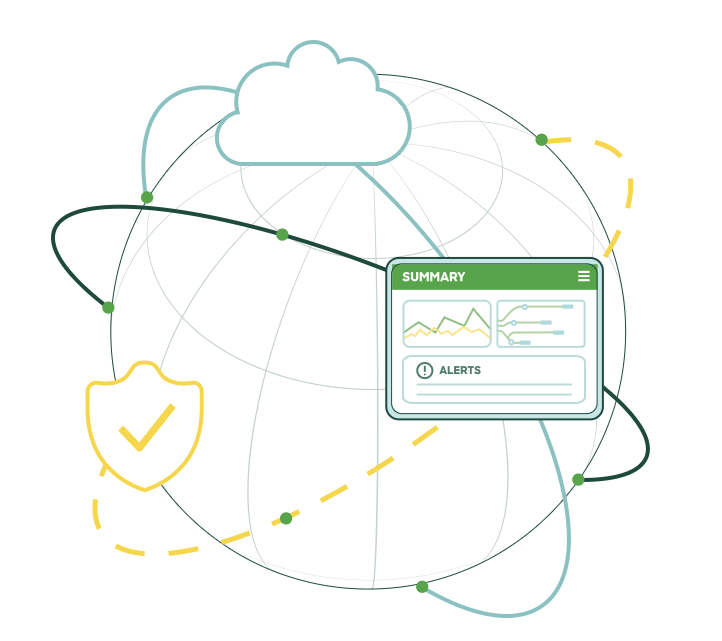
Monitoring and observability must be designed into the infrastructure from the outset, incorporating real-time dashboards and automated incident alerting. Centralised event tracing reduces operational risk and downtime across all infrastructure types, regardless of deployment model.
Key takeaways
Well-designed IT infrastructure requires selecting the right architectural model for each workload, then integrating hardware, software, security, and operations as a unified system rather than isolated components.
| Point | Details |
|---|---|
| Define before you deploy | IT infrastructure spans seven domains; misdefining it leads to underinvestment in security and observability. |
| Cloud models differ by control | IaaS, PaaS, and SaaS each transfer different levels of management responsibility to the provider. |
| Hybrid suits most mid-market organisations | Combining on-premises and cloud resources balances compliance needs with scalability during migration. |
| Hyperconverged reduces branch complexity | Unified compute, storage, and networking simplifies multi-site management for manufacturing and logistics. |
| Observability is not optional | Real-time monitoring and automated alerting must be built into infrastructure design from day one. |
Why integration matters more than the model you choose
After working across infrastructure projects in education, manufacturing, and logistics, the pattern I see most consistently is this: organisations spend months debating which infrastructure model to adopt and almost no time designing how the layers will integrate once deployed. The model choice matters far less than the quality of integration between hardware, software, security, and operations.
Treating infrastructure layers as integrated rather than isolated is the single most reliable predictor of long-term infrastructure health. I have seen cloud-native deployments fail operationally because nobody owned the observability layer. I have seen on-premises environments outperform cloud setups because the team had invested in automation and had clear runbooks for every failure scenario.
Infrastructure as Code using tools like Terraform and Helm is not a DevOps luxury. It is the mechanism that makes any infrastructure model reproducible, auditable, and scalable without depending on tribal knowledge. Organisations that still rely on manual configuration through cloud consoles are accumulating technical debt that compounds with every new environment they create.
The emerging trends worth watching are Zero Trust network access, AI-driven operations (AIOps), and the convergence of networking and security into unified SASE platforms. None of these are standalone infrastructure types. They are integration patterns that sit across the models described in this article. The organisations that will benefit most are those that have already resolved their foundational integration challenges.
— Jacob
How Re-solution can help you choose the right infrastructure
Re-solution has over 35 years of experience as a Cisco partner, supporting organisations across education, manufacturing, logistics, and housing in designing and deploying IT infrastructure that fits their actual operational requirements.

Whether you are assessing a move from traditional on-premises to a hybrid model, evaluating hyperconverged infrastructure for branch locations, or need a structured audit of your current environment, Re-solution provides tailored assessments rather than generic recommendations. The team specialises in Cisco network solutions, managed services, and Network as a Service (NaaS), covering connectivity, security, and compliance in a single engagement. To understand how your current infrastructure compares to what your organisation actually needs, explore Re-solution’s IT infrastructure services or review guidance on modernising your infrastructure for 2026 connectivity requirements.
FAQ
What are the main types of IT infrastructure?
The primary types are traditional on-premises, cloud (IaaS, PaaS, SaaS), hybrid, hyperconverged, virtualised, and serverless. Each model offers a different balance of control, scalability, and cost structure suited to different organisational needs.
What is the difference between IaaS, PaaS, and SaaS?
IaaS gives you control over the operating system and software on virtual hardware. PaaS provides a managed development environment where you deploy applications only. SaaS delivers fully managed applications accessed via subscription, with no infrastructure management required.
When should an organisation choose hybrid infrastructure?
Hybrid infrastructure suits organisations that have regulatory or latency requirements preventing full cloud migration but want cloud scalability for less sensitive workloads. It is also the most practical model for gradual cloud adoption without disrupting existing systems.
What is hyperconverged infrastructure used for?
Hyperconverged infrastructure is used to simplify management across multiple sites by combining compute, storage, and networking into a single unified system. It is particularly effective for manufacturing plants, logistics warehouses, and branch office deployments where separate hardware management is operationally costly.
Why does observability matter in IT infrastructure?
Observability provides real-time visibility into infrastructure performance and failures across all deployment models. Without centralised monitoring and automated alerting, teams cannot detect or resolve incidents quickly, which increases downtime and operational risk regardless of which infrastructure type is in use.
Recommended
- Why invest in IT infrastructure: a 2026 guide
- Guide to sustainable IT infrastructure in 2026
- IT Infrastructure Explained Simply | Re-Solution