TL;DR:
- Building network upgrades require thorough audits to assess capacity, security, and physical infrastructure before designing effective solutions. Proper planning, phased execution, and validation, including parallel runs, minimize operational disruptions and ensure long-term performance. Integrating zero trust security from the start and adhering to standards prevent future issues and enhance overall network resilience.
Slow throughput, patchy wireless coverage, and switches that cannot handle Power over Ethernet (PoE) demands are not minor inconveniences. For building managers and IT professionals, they translate directly into lost productivity, failed compliance audits, and growing security exposure. Knowing how to upgrade building network infrastructure properly, rather than simply swapping old hardware for new, is what separates a project that delivers lasting performance from one that creates new problems within months. This guide covers every stage: auditing, planning, execution, and validation.
Table of Contents
- Key takeaways
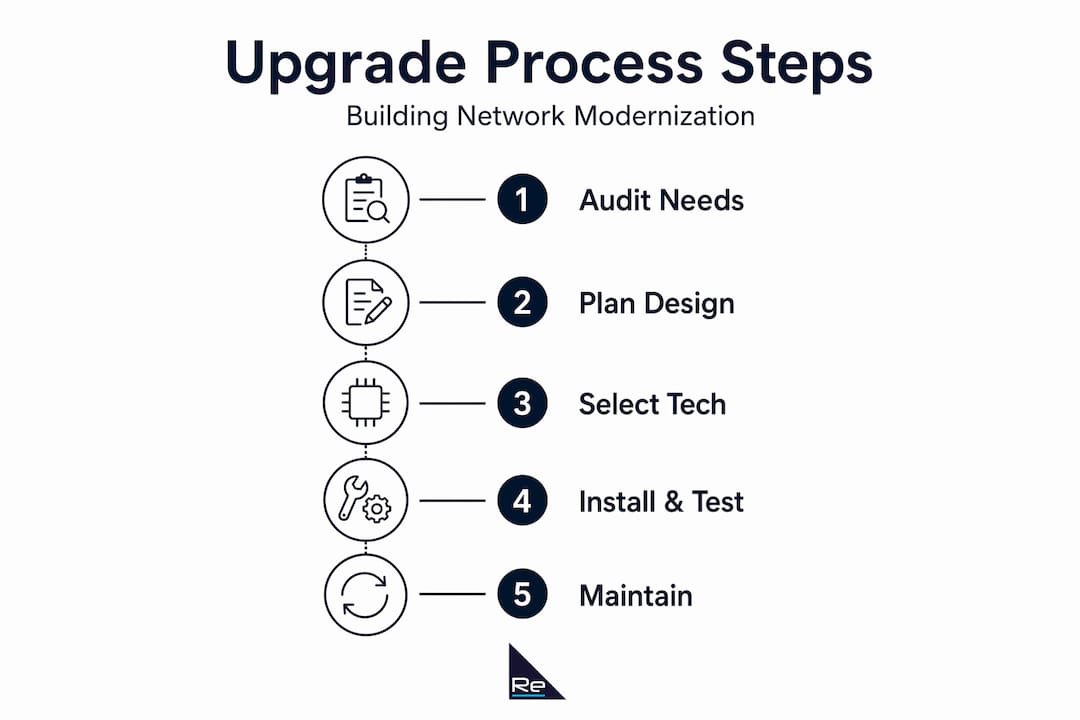
- How to upgrade building network: start with the audit
- Planning the upgrade: technologies and design
- Executing the upgrade with minimal disruption
- Verifying success: testing and ongoing maintenance
- My perspective on building network upgrades
- How Re-solution can support your upgrade
- FAQ
Key takeaways
| Point | Details |
|---|---|
| Audit before you act | A formal network audit maps capacity, latency, security posture, and physical constraints before any design work begins. |
| Standards compliance matters | Structured cabling should align with ANSI/TIA-568 to prevent physical-layer failures that undermine the entire upgrade. |
| Involve ops and security early | Engaging operations and security teams from the outset reduces risk and prevents costly rework during cutover. |
| Plan a parallel-run window | Running old and new networks simultaneously for around 30 days catches edge cases before full switchover. |
| Validate and document thoroughly | Post-upgrade testing and updated documentation are what sustain performance gains over the long term. |
How to upgrade building network: start with the audit
Every successful building network upgrade begins with a formal audit. Without one, you are designing blind. Auditing assesses capacity, latency, security posture, and operational readiness, mapping those findings to specific hardware and cabling requirements. Skipping this stage is the single most common reason upgrades underdeliver.
A thorough audit covers four areas:
- Physical infrastructure: Inspect all cabling, cable pathways, patch panels, racks, and power distribution. Document cable categories, lengths, termination quality, and any existing damage. Note where Cat 5e or older twisted-pair cabling limits throughput.
- Logical topology: Capture current switch configurations, VLAN structure, routing protocols, and firewall rules. Identify single points of failure and any equipment running beyond end-of-support.
- Performance baseline: Measure throughput, latency, packet loss, and wireless signal quality across representative areas of the building. This data justifies the upgrade to stakeholders and gives you a benchmark to validate against after completion.
- Security posture: Review access control policies, authentication methods, and network segmentation. Identify devices with no NAC enforcement or flat network access.
Engage stakeholders from operations, facilities, and security teams during the audit, not afterwards. Their knowledge of shift patterns, maintenance windows, and compliance obligations shapes the requirements document you will build next. Documenting business and technical requirements at this stage prevents design misalignment that surfaces during installation.
Modernising physical cabling must comply with ANSI/TIA-568 family standards, which specify commercial building cabling structures and performance criteria including pathways, grounding, media types, and certification testing. Meeting these standards is not a formality. It is how you prevent the physical layer from undermining everything built above it.
Pro Tip: When auditing wireless coverage, use a dedicated Wi-Fi survey tool rather than relying on device signal bars. Signal-to-noise ratio and channel utilisation tell you far more about real performance than received signal strength alone.
Planning the upgrade: technologies and design
With audit findings and requirements in hand, the planning phase translates data into a design. This is where technology selection happens, and the decisions made here define the performance ceiling for years ahead.
Choosing the right technologies
Modern building network upgrades should consider the following hardware and connectivity tiers:
| Technology | Key benefit | Typical use case |
|---|---|---|
| Wi-Fi 6 / 6E access points | Higher density, lower latency | Open-plan offices, lecture theatres, warehouses |
| Wi-Fi 7 access points | Multi-link operation, 320 MHz channels | High-demand areas, AV-heavy environments |
| Multi-gigabit switches | 2.5G/5G/10G PoE ports | Access layer serving Wi-Fi 6E/7 and IP cameras |
| 10G or 25G backbone fibre | High-throughput floor-to-floor links | Spine-to-distribution and distribution-to-core |
| PoE++ (802.3bt) switches | Up to 90W per port | PTZ cameras, digital signage, advanced APs |
Legacy hardware often lacks PoE support and the management capabilities needed for modern authentication and device demands. Replacing it with multi-gigabit, standards-compliant equipment opens the door to technologies that are simply not possible on ageing infrastructure.
Physical infrastructure design
Floor-to-floor backbone upgrades deserve particular attention. Large-scale projects demonstrate what is achievable: the University of Illinois Chicago upgraded 190 data locations, improved 10G backbone connectivity, and enhanced power and rack infrastructure across multiple buildings. That scale of planning, even if your project is smaller, illustrates the importance of designing backbone capacity well ahead of current demand.
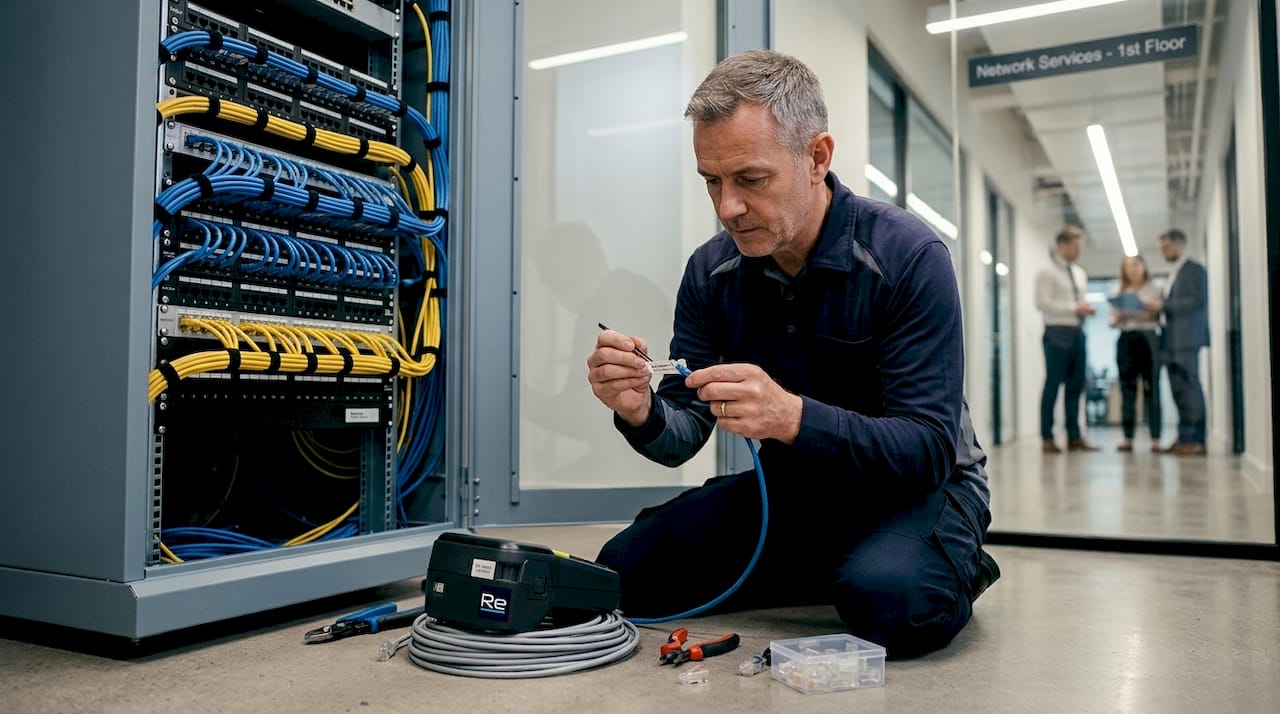
Standards-based cabling planning reduces upgrade failures by addressing grounding, cable performance categories, and certification testing as a systematic checklist rather than an afterthought. If you are pulling new horizontal cabling, specify Cat 6A as a minimum. It supports 10GBASE-T at full 100-metre channel length and provides headroom for PoE heat dissipation compared with Cat 6.
Integrating zero trust from the start
Security architecture is not a separate workstream. Zero trust architecture enables secure, identity-based access across on-premises and cloud environments, which is directly relevant to any building network handling diverse device populations, contractors, and guest users. Designing VLAN segmentation, NAC enforcement, and ZTNA policies into the network from the planning stage costs far less than retrofitting them after deployment.
Re-solution’s guidance on zero trust network design explains how these principles integrate practically into building network upgrades without adding unnecessary complexity to day-to-day operations.
Pro Tip: Calculate your total PoE budget before finalising switch selection. Add up the maximum draw of every planned device per switch, then apply a 20% headroom factor. Undersized PoE budgets are a common cause of post-deployment instability.
Executing the upgrade with minimal disruption
A well-designed network can still be derailed by poor execution. Coordination, communication, and fallback planning are what keep the project on track.
Follow these steps to manage implementation effectively:
-
Define cutover windows. Work with operations and facilities teams to identify low-impact periods, typically nights or weekends, for physical installation and logical cutover. Publish a schedule with clear milestones and stakeholder sign-off checkpoints.
-
Build a fallback plan. Before cutting over any segment, confirm that the previous configuration can be restored within a defined recovery time. Document rollback procedures for each phase and test them before go-live.
-
Deploy in phases. Avoid upgrading the entire building simultaneously. Start with a pilot floor or zone to validate configurations, PoE behaviour, and authentication flows before scaling out. This isolates problems to a manageable scope.
-
Run old and new networks in parallel. A parallel-run window of approximately 30 days allows teams to validate services, onboard new device types, and catch firmware mismatches or PoE draw surprises before decommissioning the legacy infrastructure.
-
Test physical cabling to standard. Certify all new horizontal and backbone cabling with a field tester capable of producing ANSI/TIA-compliant test reports. Do not accept installation without certification documentation.
-
Communicate with users. Notify affected staff in advance with clear information about what will change, when, and who to contact if issues arise. Poor communication generates unnecessary support calls and erodes confidence in the upgrade.
-
Train operational staff. Update network diagrams, runbooks, and helpdesk procedures before cutover. Staff should be able to interpret new monitoring dashboards and respond to alerts without relying on the project team.
“Treating a network upgrade as a pure hardware swap is the most reliable way to create problems that take months to resolve. The operational coordination layer is where the project actually succeeds or fails.”
Involving operations and security teams from the outset, rather than as an afterthought at cutover, is what separates low-disruption upgrades from those that generate incident tickets for weeks afterwards.
Pro Tip: Keep a live issues log visible to all project stakeholders during the parallel-run window. A shared document or project tool updated daily keeps everyone aligned and prevents small problems from becoming escalations.
Verifying success: testing and ongoing maintenance
Deployment completion is not project completion. Validation and ongoing maintenance are what convert a successful installation into sustained performance.
Post-upgrade testing
Run structured tests across the following dimensions:
- Throughput: Use iPerf3 or equivalent tools to verify that switch uplinks and backbone connections meet designed capacity. Check that wireless clients achieve expected speeds under realistic load conditions.
- Latency and packet loss: Measure round-trip times to key internal resources and internet egress points. Compare against your pre-upgrade baseline.
- PoE stability: Monitor power draw per port during business hours to confirm that budgets are not being exceeded and that devices are not cycling.
- Authentication flows: Test NAC enforcement, guest VLAN assignment, and ZTNA policy application across representative device types including corporate endpoints, IoT devices, and contractors.
- Cabling certification: Confirm that all test reports are filed and that any failures have been remediated and re-tested.
Compliance and documentation
Validate that the network configuration aligns with relevant security guidelines and your organisation’s internal policies. Properly planned network modernisation improves performance and positions buildings for future technology adoption, but only if the documentation supports ongoing management. Update all network diagrams, IP address management records, and configuration backups to reflect the post-upgrade state.
Ongoing maintenance
Set a maintenance schedule that includes:
- Quarterly firmware reviews for switches, access points, and firewalls
- Annual cabling inspections for physical wear in high-traffic pathways
- Regular performance monitoring reviews using network analytics tools
- Periodic security posture assessments against zero trust benchmarks
Monitoring tools that surface trending data, rather than just threshold alerts, let you detect gradual degradation before it affects users. This is the difference between reactive support and genuinely proactive management.
My perspective on building network upgrades
I have seen more building network upgrades than I can count, and the pattern is consistent. The projects that go smoothly are not the ones with the largest budgets. They are the ones where the team spent proportionally more time on preparation than on procurement.
The biggest misconception I encounter is that physical infrastructure is a solved problem once you have selected the right switches and access points. In reality, physical-layer constraints including power delivery, rack space, and undocumented cabling are where the surprises hide. A standards-compliant cabling design is not box-ticking. It is what prevents you from discovering at 2am during a cutover that a cable run is five metres longer than the survey suggested, and you are now outside the channel performance limit.
The parallel-run approach deserves more credit than it typically receives. Teams often resist it because it feels like unnecessary delay. What it actually does is surface the edge cases that no lab test reproduces: the legacy building management system that authenticates differently than expected, the IoT sensor that negotiates PoE at a level the new switch handles differently, the guest device that trips NAC enforcement in a way that confuses the facilities team. Thirty days of parallel running is cheap compared with the alternative.
On zero trust: I think many building managers underestimate how relevant it is to their environment. A commercial building network often carries a more diverse device population than a typical enterprise office, including contractor laptops, IP-connected building systems, and guest users. That context makes identity-based segmentation not just good security practice, but operationally necessary.
— Jacob
How Re-solution can support your upgrade

Re-solution brings over 35 years of Cisco infrastructure experience to building network upgrade projects across education, manufacturing, hospitality, and commercial property sectors. Whether you need a structured network infrastructure audit to baseline your current environment, help designing a standards-compliant upgrade with integrated zero trust security, or ongoing managed services to maintain performance after deployment, Re-solution provides the technical depth and project coordination to deliver results.
Our network upgrade planning service covers requirements analysis, technology selection, cabling design, and phased implementation logistics, giving building managers and IT teams a clear, practical path through every stage of the project. We also offer Network as a Service for organisations that prefer a managed model rather than capital expenditure. Speak to the Re-solution team to discuss your building’s specific requirements and find out how an upgrade project can be scoped and delivered with minimal disruption.
FAQ
What does a building network audit include?
A building network audit covers physical cabling, switch and wireless hardware inventory, performance baselines, VLAN and security configuration review, and an assessment of PoE capacity. The output maps current state against the requirements of the planned upgrade.
Why should I upgrade legacy networks rather than just patch them?
Legacy hardware lacks the PoE support and management capabilities needed for modern authentication, wireless standards, and IoT device demands. Patching defers the problem while the performance and security gap widens.
How long does a building network upgrade typically take?
Timescales vary by building size and complexity. A single-floor upgrade in a smaller building may take a few weeks, while multi-building projects with backbone replacement can span several months. A 30-day parallel-run window should be included in any project timeline regardless of scale.
What cabling standard should I specify for a new building network?
ANSI/TIA-568 family standards govern commercial building structured cabling. For horizontal runs, Cat 6A is the recommended minimum for new installations, supporting 10GBASE-T at full channel length and PoE heat dissipation requirements.
When should zero trust security be integrated into a building network upgrade?
Zero trust architecture should be designed into the network from the planning stage, not added after deployment. Integrating identity-based access control and network segmentation at design time costs significantly less than retrofitting it once the infrastructure is live.
Recommended
- Network Infrastructure Planning Simplified | Re-Solution
- Network Infrastructure Planning Simplified | Re-Solution
- How to Build a Secure Network: Step-by-Step | Re-Solution
- How to Build a Secure Network: Step-by-Step | Re-Solution