
TL;DR:
- Backup preserves data copies for recovery, while disaster recovery restores IT systems to full operation. Testing backups regularly ensures they meet recovery time targets, especially against ransomware threats. Implementing encryption, immutability, and automation strengthens overall resilience and compliance.
Backup and disaster recovery are two distinct but complementary processes that together protect business data and restore operations after a disruptive event. Backup refers to creating and storing copies of data so it can be retrieved if lost or corrupted. Disaster recovery, the term defined in NIST SP 800-34 and related frameworks, covers the broader restoration of IT infrastructure, networks, and applications to a functional state. Understanding why backup and disaster recovery work together is the foundation of any serious business continuity plan. Without both, organisations face unacceptable risk from ransomware, hardware failure, and human error.
Why backup and disaster recovery are not the same thing
Backup and disaster recovery address different problems, and confusing them creates dangerous gaps in protection.
A backup is a copy of data stored separately from the original. Its purpose is data preservation. When a file is deleted, a database is corrupted, or a server fails, a backup provides the source material for restoration. Backups can be full, incremental, or differential, and they can be stored on-premises, in the cloud, or across both.
Disaster recovery goes further. Disaster recovery involves restoring infrastructure, networks, DNS, and application dependencies to bring a full working environment back online. A backup tells you what data existed. Disaster recovery determines how quickly and completely your business can function again.
Two parameters define the difference in practical terms:
- Recovery Point Objective (RPO): the maximum acceptable amount of data loss, measured in time. An RPO of four hours means you can afford to lose up to four hours of data.
- Recovery Time Objective (RTO): the maximum acceptable downtime before operations must be restored. An RTO of two hours means systems must be back online within two hours of a failure.
RTO and RPO are critical parameters that guide both backup frequency and disaster recovery orchestration. A business with a tight RTO cannot rely on manually restoring files from a backup archive. It needs pre-configured recovery environments, tested runbooks, and automated failover.
| Dimension | Backup | Disaster recovery |
|---|---|---|
| Primary purpose | Data preservation | Operational restoration |
| Scope | Files, databases, system images | Infrastructure, networks, applications |
| Key metric | RPO | RTO |
| Typical output | Recoverable data copy | Functional working environment |
| Orchestration required | Minimal | High |
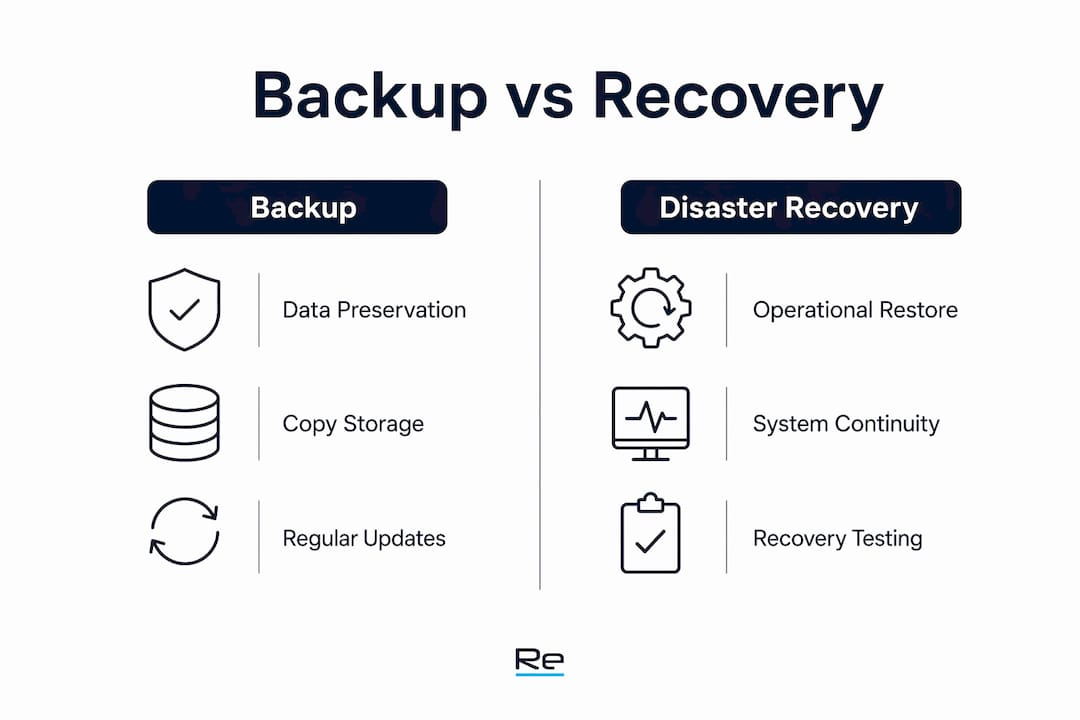
The table makes the distinction clear. Backup is an input to disaster recovery, not a substitute for it.
Why is backup alone insufficient without disaster recovery?
Many organisations treat completed backups as proof of protection. That assumption is wrong.

A backup is merely a “hope” until a full-scale restoration test confirms that systems can be recovered within RTO targets. Organisations that never test their backups discover the failure at the worst possible moment, during an actual incident. Corrupted backup files, missing dependencies, and misconfigured restore processes are common findings in untested environments.
Ransomware has made this problem significantly worse. Ransomware actors target backup systems specifically, attempting to delete or encrypt backups before deploying their payload against production systems. CISA mandates immutability as a control against this: immutable backups cannot be altered or deleted, even by administrators with elevated privileges. Without immutability, a backup set is vulnerable to the same attack that destroys the primary data.
Even with intact, immutable backups, restoration without a disaster recovery plan leaves critical gaps:
- Networks must be reconfigured before applications can communicate.
- DNS records must point to restored servers before users can connect.
- Application dependencies must be restored in the correct sequence.
- Licences, certificates, and authentication services must be active.
Pro Tip: Run a full restoration test at least once per quarter. Document the time taken and compare it against your RTO target. If the test exceeds your RTO, the plan needs revision before an incident forces the issue.
Many organisations suffer from a false sense of security by prioritising backups without building complete disaster recovery plans that target RTO. The consequence is not just slow recovery. For some businesses, it means no recovery at all.
What are the best practices for backup and disaster recovery in 2026?
Current best practices combine technical controls, regulatory alignment, and automation to make recovery reliable rather than theoretical.
Encryption and key management
AES-256 encryption for data at rest and TLS 1.3 for data in transit are the current mandatory standards for backup security. These controls protect backup data from interception and unauthorised access. Key rotation every 90 days is also required under current security standards. Failing to rotate keys extends the window of exposure if a key is compromised.
Follow NIST SP 800-34 recovery timelines
NIST SP 800-34 requires mission-essential functions to be sustained within 12 hours of a disruption, with full system restoration targeted within 30 days. These timelines distinguish between critical and full restoration, which is a distinction many organisations fail to make in their planning. Mapping your systems against these two tiers helps prioritise recovery sequencing.
Implement automation and continuous verification
Automated verification of backups reduces human error and improves both recovery reliability and audit readiness. Manual processes introduce inconsistency. Automated systems check backup completion, test restore integrity, and flag anomalies without requiring engineer intervention for every cycle.
The following numbered checklist covers the core requirements for a current best-practice programme:
- Apply AES-256 encryption to all backup data at rest.
- Use TLS 1.3 for all backup data transmitted across networks.
- Rotate encryption keys every 90 days.
- Store at least one backup copy offsite or in an isolated cloud environment.
- Implement immutability on all backup repositories.
- Define and document RPO and RTO for every critical system.
- Align recovery timelines with NIST SP 800-34 guidance.
- Automate backup verification and restoration testing.
- Test full disaster recovery scenarios at least twice per year.
- Review and update the disaster recovery plan after every significant infrastructure change.
Pro Tip: Align your data protection strategies with both NIST SP 800-34 and your cyber insurance policy requirements. Insurers increasingly require documented, tested recovery plans as a condition of coverage.
How do backup and disaster recovery support operational resilience?
Operational resilience is the ability of a business to absorb disruption and continue delivering its core functions. Backup and disaster recovery are the technical foundation of that capability.
Restoring data backups can take days or weeks without proper planning, and many businesses never fully recover from a major data loss event. The financial damage from prolonged downtime compounds quickly: lost revenue, emergency recovery costs, regulatory fines, and reputational damage all accumulate simultaneously. A tested disaster recovery plan limits that exposure by compressing the recovery window.
The benefits extend beyond incident response:
- Compliance and audit readiness: Regulators across sectors including finance, healthcare, and education require documented recovery capabilities. A tested plan provides the evidence trail auditors need.
- Customer trust: Clients and partners assess supplier resilience as part of their own risk management. Demonstrable recovery capability is a competitive differentiator.
- Cyber resilience integration: Backup is the last line of defence in a layered cyber-resilience approach that combines endpoint controls, network segmentation, and data protection. Removing any layer weakens the whole.
“Backup and disaster recovery are not IT concerns alone. They are board-level risk management tools that determine whether a business survives a major incident or becomes a cautionary tale.”
Re-solution’s work across education, manufacturing, and hospitality consistently shows that organisations with tested recovery plans return to operation faster and with lower total incident costs than those relying on untested backups. The importance of data backup is well understood in principle. The gap is execution.
The uncomfortable truth about backup and disaster recovery
By Jacob
After working with IT infrastructure across multiple sectors, the pattern I see most often is this: organisations invest in backup technology and then stop. The backup runs nightly, the green tick appears on the dashboard, and the team moves on. The disaster recovery plan, if one exists at all, sits in a document last updated three years ago.
The uncomfortable truth is that backup without tested disaster recovery is not a safety net. It is a liability. When ransomware hits a manufacturing plant at 2AM on a Sunday, the question is not whether the data exists somewhere. The question is whether anyone knows how to restore the network, the DNS, the application stack, and the authentication services in the correct order, under pressure, within the RTO the business can actually survive.
I have seen organisations with technically sound backups spend four days recovering because nobody had mapped the restoration sequence. I have seen others with modest backup infrastructure recover in six hours because their disaster recovery runbook was current, tested, and understood by the team.
The threat environment has also shifted. Ransomware groups now specifically target backup repositories before deploying their payload. Immutability is not optional. It is the control that determines whether your backup survives the same attack that destroys your production environment.
My advice is direct: treat your disaster recovery plan as a live operational document, not an archived policy. Test it. Time it. Update it after every infrastructure change. And integrate it with your broader cyber resilience strategy so that backup, endpoint protection, and network segmentation work as a single defence.
— Jacob
How Re-solution supports your backup and disaster recovery readiness
Re-solution has delivered Cisco IT infrastructure solutions across education, manufacturing, logistics, and hospitality for over 35 years. That experience directly informs how we approach data protection and recovery planning for our clients.

Sound backup and disaster recovery capability starts with the right infrastructure foundation. Re-solution’s managed IT services and infrastructure assessments help organisations identify gaps in their current recovery posture, align with NIST SP 800-34 requirements, and build tested recovery plans that meet real RTO targets. Whether you need a network audit, a full IT infrastructure review, or ongoing managed support, Re-solution provides the expertise to make recovery reliable. Contact Re-solution to discuss your specific requirements.
FAQ
What is the difference between backup and disaster recovery?
Backup preserves copies of data for retrieval after loss or corruption. Disaster recovery restores the full IT environment, including networks, DNS, and applications, to a functional state after a major incident.
Why is testing backups so important?
A backup is unproven until a full restoration test confirms it meets RTO targets. Untested backups frequently fail due to corrupted files, missing dependencies, or misconfigured restore processes.
What does NIST SP 800-34 require for disaster recovery?
NIST SP 800-34 requires mission-essential functions to be sustained within 12 hours of a disruption, with full system restoration targeted within 30 days.
How does ransomware affect backup and disaster recovery?
Ransomware actors target backup repositories to delete or encrypt them before attacking production systems. Immutable backups, which cannot be altered even by administrators, are the primary defence against this tactic.
What encryption standards apply to backup data?
AES-256 encryption applies to backup data at rest, and TLS 1.3 applies to data in transit. Encryption keys should be rotated every 90 days to meet current security standards.
Key takeaways
Backup and disaster recovery together form the only reliable foundation for business continuity, with backup preserving data and disaster recovery restoring full operational capability within defined RTO and RPO targets.
| Point | Details |
|---|---|
| Backup and DR are distinct | Backup preserves data; disaster recovery restores networks, applications, and infrastructure to a working state. |
| Untested backups carry real risk | A backup is unproven until a full restoration test confirms recovery within your RTO target. |
| Immutability is mandatory | Immutable backups prevent ransomware from deleting your last line of defence before you can use it. |
| Encryption standards are non-negotiable | AES-256 at rest and TLS 1.3 in transit, with 90-day key rotation, are the current minimum security controls. |
| NIST SP 800-34 sets the timeline | Mission-essential functions must be restored within 12 hours; full restoration is targeted within 30 days. |
Recommended
- Why Data Security Matters in 2025 | Re-Solution
- How to Backup Data Securely and Protect Your Business | Re-Solution