Choosing the right cloud collaboration tools is a critical decision for IT and operational leaders in education and manufacturing. You need solutions that enhance productivity whilst safeguarding sensitive data against evolving cyber threats. Education institutions must support hybrid learning environments with real-time document sharing, whilst manufacturing facilities require low-latency access to engineering files and production schedules. This article presents a criteria-based framework to evaluate cloud collaboration benefits, comparing leading platforms and providing actionable guidance to optimise both operational efficiency and security in your organisation.
Table of Contents
- Key takeaways
- Criteria for choosing cloud collaboration tools
- Top cloud collaboration tools for education and manufacturing
- Comparison of cloud collaboration tools for education and manufacturing
- How to choose the right cloud collaboration solution for your organisation
- How Re-Solution supports your cloud collaboration journey
- What are the benefits of cloud collaboration?
Key Takeaways
| Point | Details |
|---|---|
| Real time collaboration | Real time document sharing and conflict free version control boost productivity across education and manufacturing. |
| Security and governance | Platforms should provide enterprise grade encryption, comprehensive audit trails and robust access controls to protect sensitive data. |
| Latency aware design | Manufacturing requires hybrid cloud edge architectures to minimise latency for time sensitive operations. |
| Integration and adoption | Evaluation should prioritise identity management integration, real time sharing and user friendly interfaces to drive adoption. |
| Risk based selection | Conduct a thorough risk assessment mapping data classifications to platform security certifications before migration. |
Criteria for choosing cloud collaboration tools
Selecting the right cloud collaboration platform requires evaluating several critical factors that directly impact both productivity and security. You must assess how well each solution integrates with your existing identity management systems, supports real-time workflows, and addresses sector-specific operational demands.
For education institutions, prioritise tools with strong integration capabilities including Active Directory and two-factor authentication alongside real-time collaboration features. Your platform should provide enterprise-grade encryption, automated backups, and granular access controls to protect student data whilst enabling seamless document sharing between staff and pupils. Consider how well the solution supports your learning management system and whether it can scale to accommodate fluctuating user numbers during term periods.
Manufacturing organisations face different challenges that demand hybrid cloud-edge architectures to minimise latency for time-sensitive operations. You need platforms that support governance audits, tool consolidation to reduce cyber attack surfaces, and robust version control for engineering documents. Low-latency responsiveness is essential when production teams access CNC programs or update scheduling systems in real time.
Key evaluation criteria include:
- Integration with identity and access management systems
- Real-time document sharing with conflict-free version control
- Enterprise-grade encryption for data at rest and in transit
- Comprehensive audit trails and compliance reporting
- User interface simplicity to accelerate adoption
- Infrastructure reliability with guaranteed uptime commitments
Pro Tip: Balance cost savings against privacy and security risks by conducting a thorough risk assessment before migration. Map your data classification requirements to each platform’s security certifications to ensure regulatory compliance.
Your selection process should also evaluate user readiness and existing infrastructure capabilities. Poor connectivity or inadequate bandwidth will amplify risks and undermine collaboration benefits, regardless of how sophisticated your chosen platform may be. Consider whether your organisation requires cloud collaboration in education or cloud collaboration in manufacturing solutions, as each sector has distinct requirements. Implement cloud security strategies that align with your operational model and risk tolerance.
Top cloud collaboration tools for education and manufacturing
Several leading platforms have emerged as preferred solutions for education and manufacturing sectors, each offering distinct features that address specific operational requirements. Understanding their strengths helps you match capabilities to your organisation’s needs.
Google Workspace dominates education deployments due to its intuitive interface and seamless integration with learning management systems. Teachers can share lesson materials instantly, whilst pupils collaborate on assignments through real-time document editing. The platform’s generous storage allocations and mobile accessibility make it particularly suitable for hybrid learning environments.
Microsoft Teams provides an all-in-one communication and collaboration hub that combines chat, video conferencing, and file sharing. Its deep integration with Microsoft 365 applications makes it attractive for organisations already invested in the Microsoft ecosystem. Teams supports both education and manufacturing use cases, offering customisable channels for different departments or project groups.
Triofox enables secure real-time file sharing tailored specifically for education institutions. The platform transforms traditional file servers into cloud-accessible repositories whilst maintaining familiar folder structures. This approach reduces training requirements and accelerates adoption amongst staff who prefer established workflows.
Manufacturing organisations increasingly adopt Microsoft Copilot for M365, which provides AI-powered assistance for document creation, data analysis, and workflow automation. The tool helps engineers generate technical reports faster and extract insights from production data more efficiently.
Egnyte delivers enterprise-grade secure file sharing designed for engineering and manufacturing environments. Manufacturing clients report substantial time savings, with some achieving 335% ROI through improved data access and streamlined reporting processes. The platform’s hybrid architecture allows organisations to maintain sensitive files on-premises whilst enabling cloud collaboration for less critical documents.
Key benefits across these platforms include:
- Faster access to engineering drawings and production schedules
- Improved reporting efficiency through centralised data repositories
- Time savings from eliminating email attachments and version confusion
- Enhanced security through centralised access controls and audit trails
Explore cloud network advantages and manufacturing cybersecurity tips to understand how these platforms integrate with broader IT strategies. Consider how collaborative AI development enhances productivity beyond basic file sharing.
Comparison of cloud collaboration tools for education and manufacturing
A structured comparison clarifies how leading platforms address sector-specific requirements and helps you identify the best fit for your organisation’s priorities.
| Platform | Document sharing | Version control | Real-time collaboration | Encryption | Ransomware protection | Identity integration | Typical sector |
|---|---|---|---|---|---|---|---|
| Google Workspace | Excellent | Automatic | Outstanding | AES-256 | Limited | Google accounts, SAML | Education |
| Microsoft Teams | Excellent | SharePoint-based | Outstanding | AES-256 | Moderate | Active Directory, Azure AD | Both |
| Triofox | Excellent | File-level | Good | AES-256 | Strong | Active Directory | Education |
| Microsoft Copilot | Integrated | SharePoint-based | Outstanding | AES-256 | Moderate | Active Directory, Azure AD | Manufacturing |
| Egnyte | Excellent | Granular | Good | AES-256 | Strong | Active Directory, LDAP | Manufacturing |
This comparison reveals important trade-offs between ease of use and security depth. Google Workspace excels in user experience but offers limited ransomware protection compared to platforms like Triofox or Egnyte. Microsoft solutions provide strong identity integration but require more complex configuration to optimise security settings.
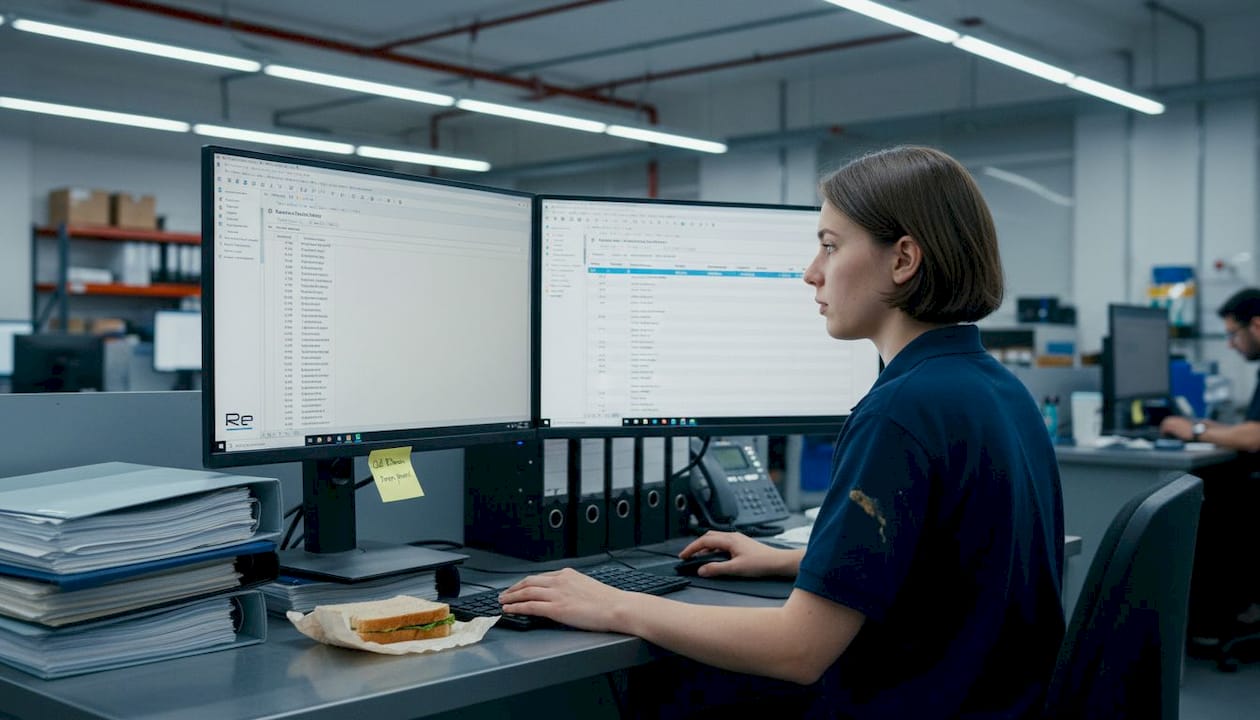
Manufacturing organisations benefit significantly from cloud adoption, with documented ROI reaching 335% over five years through operational efficiency gains and productivity improvements. These returns stem from faster data access, reduced infrastructure costs, and improved collaboration between distributed teams.
Security considerations vary by platform:
- Google Workspace relies primarily on perimeter security and user authentication
- Microsoft platforms support Zero Trust architectures with conditional access policies
- Triofox and Egnyte offer hybrid models that keep sensitive data on-premises
- All platforms provide audit trails, though granularity differs significantly
Pro Tip: Manufacturing organisations should prioritise hybrid cloud architectures to address latency concerns for real-time operations. Keep time-sensitive files at the edge whilst leveraging cloud storage for archival and collaboration on less critical documents.
Latency and internet dependency remain concerns for manufacturing facilities with unreliable connectivity. Hybrid approaches mitigate these risks by caching frequently accessed files locally whilst synchronising changes to the cloud when bandwidth permits. Review data protection strategies to ensure your chosen platform aligns with regulatory requirements and risk tolerance.
How to choose the right cloud collaboration solution for your organisation
Selecting the optimal platform requires a systematic evaluation process that balances technical capabilities, security requirements, and organisational readiness. Follow these steps to make an informed decision that delivers sustainable benefits.
-
Assess your current infrastructure and connectivity reliability. Document bandwidth availability, network architecture, and existing identity management systems. Poor infrastructure will undermine even the most sophisticated collaboration platform.
-
Define security requirements based on data classification and regulatory obligations. Education institutions must comply with data protection regulations for pupil information, whilst manufacturers often face intellectual property and trade secret concerns.
-
Evaluate user readiness and training requirements. Implementation success depends heavily on infrastructure quality and organisational readiness. Poor connectivity or inadequate training amplifies risks and reduces adoption rates.
-
Prioritise platforms that support Zero Trust security models with least-privilege access controls. Configure identity integration to enforce strong authentication and granular permissions that limit exposure if credentials are compromised.
-
Plan comprehensive training and change management programmes, particularly in education settings where staff technical proficiency varies widely. Allocate resources for ongoing support to address questions and troubleshoot issues as they arise.
-
Measure ROI through operational efficiency metrics such as time saved on file access, reduction in email attachment volumes, and improved project completion rates. Research demonstrates that technology-supported collaboration improves student outcomes with effect sizes above 0.7, providing clear evidence of educational value.
-
Monitor security risks continuously and adapt governance policies as threats evolve. Establish regular review cycles to assess platform performance, user satisfaction, and security incident trends.
Pro Tip: Manufacturing organisations should implement hybrid cloud-edge architectures for latency-sensitive operations. Cache production files locally whilst leveraging cloud storage for engineering collaboration and archival purposes.
Your selection process should also consider long-term scalability and vendor lock-in risks. Evaluate how easily you can migrate data if business requirements change or if a platform fails to meet expectations. Explore future-proof IT infrastructure strategies to ensure your collaboration platform aligns with broader technology roadmaps.
How Re-Solution supports your cloud collaboration journey
Implementing cloud collaboration tools requires more than selecting the right platform. You need expert guidance to integrate solutions with existing infrastructure, configure security controls appropriately, and train users effectively. Re-Solution brings over 35 years of experience helping education and manufacturing organisations deploy robust collaboration environments that balance productivity with security.

Our managed IT services ensure your collaboration platforms maintain optimal uptime and performance whilst our security specialists monitor for emerging threats. We provide professional IT solution services including custom integration with identity management systems, workflow automation, and compliance auditing. Whether you need to implement hybrid cloud architectures for manufacturing latency requirements or establish secure file sharing for education institutions, our team designs solutions tailored to your operational demands. Explore our data protection strategies to understand how we help organisations safeguard sensitive information whilst enabling seamless collaboration.
What are the benefits of cloud collaboration?
How does cloud collaboration improve productivity in education?
Cloud collaboration enables real-time document sharing between teachers and pupils, eliminating version confusion and email attachment delays. Staff can access lesson materials from any location, supporting flexible working arrangements and hybrid learning models. Studies show technology-supported collaboration improves student learning outcomes with effect sizes up to 0.80 in academic achievement. The platforms streamline administrative workflows, allowing educators to focus more time on teaching rather than file management.
What security measures are essential for cloud collaboration in manufacturing?
Manufacturing organisations must implement enterprise-grade encryption for engineering files and intellectual property alongside comprehensive audit trails that track all document access and modifications. Zero Trust architectures with data classification and least-privilege access controls mitigate ransomware risks that have surged in manufacturing sectors. Regular governance audits ensure security policies remain effective as threats evolve. Explore security in manufacturing for detailed guidance on protecting production facilities.
Can cloud collaboration tools handle latency issues in manufacturing?
Hybrid cloud-edge models address latency concerns by caching frequently accessed files locally whilst synchronising changes to cloud storage when bandwidth permits. This architecture provides real-time responsiveness for CNC programming and production scheduling whilst maintaining collaboration benefits for less time-sensitive workflows. Manufacturing organisations can prioritise which files require edge storage based on operational criticality. Learn more about hybrid cloud for manufacturing implementations.
How do I measure ROI from cloud collaboration investments?
Track operational efficiency metrics including time saved accessing files, reduction in duplicate work from version conflicts, and improved project completion rates. Manufacturing organisations should measure productivity gains from faster engineering reviews and reduced infrastructure costs from eliminating on-premises file servers. Education institutions can assess improvements in student outcomes, staff satisfaction, and administrative efficiency. Document baseline metrics before implementation to enable accurate comparison.
What are the main security risks of cloud collaboration?
Key risks include unauthorised access from compromised credentials, data exfiltration through misconfigured sharing permissions, and ransomware attacks that encrypt cloud-stored files. Inadequate encryption or weak authentication mechanisms expose sensitive information to interception. Poor governance and excessive user permissions create unnecessary attack surfaces. Mitigate these risks through Zero Trust architectures, multi-factor authentication, regular security audits, and comprehensive staff training on secure collaboration practices.
Recommended
- Manufacturing | Cisco Cloud, Security & Datacenter Experts
- Education | Cisco Cloud, Security & Datacenter Experts
- Cloud Network Advantages 2025 | Re-Solution
- IT Infrastructure for Education in 2025 | Re-Solution