TL;DR:
- Effective warehouse WLAN deployment requires a performance-focused site survey that tests task continuity during movement, not just static coverage.
- Designing for roaming, device-specific testing, and interference management ensures reliable task execution and reduces operational failures.
Start with a performance-focused site survey that validates roaming and task continuity — not a heat map that only shows static coverage. That single decision separates warehouse WLAN deployments that work under operational load from those that look fine on paper but fail during a peak shift.
Your three immediate actions this week:
- Schedule a blended site survey covering predictive modelling, active device testing, and passive spectrum analysis across your full operational footprint.
- Compile your device inventory: every barcode scanner, PDA, AGV controller, RFID gateway, and IoT sensor that will connect to the network, including make, model, and 802.11 capability.
- Document your key workflows: pick routes, dock-to-aisle transitions, cold-room entry and exit cycles, and any AGV or autonomous mobile robot (AMR) paths.
A purely predictive heat map shows where signal exists when nothing is moving. Active, device-based testing reveals where sessions drop, roam times spike, and scan-and-confirm transactions fail — which is the only metric that actually matters to operations. Task continuity, not signal percentage, is the primary success criterion for any warehouse wireless deployment.
Table of Contents
- Why warehouse Wi-Fi behaves nothing like office Wi-Fi
- How to commission a warehouse wireless site survey
- AP mounting, antenna choices, and density rules for racked aisles
- Designing for movement: roaming, session persistence, and QoS
- Which hardware to choose for warehouse environments
- Acceptance testing, KPIs, and a commissioning checklist
- Security and compliance for warehouse Wi-Fi
- Common causes of failure and how to diagnose them quickly
- When does a managed wireless service make more sense than an in-house project?
- Integrating warehouse wireless with WMS and IoT devices
- Maintaining and monitoring your warehouse wireless network long-term
- Key takeaways
- The case for treating roaming as the primary design constraint
- Re-solution: warehouse wireless surveys and managed network services
- Useful sources and further reading
Why warehouse Wi-Fi behaves nothing like office Wi-Fi
Office wireless design assumes relatively static users, low ceilings, and predictable RF propagation. Warehouses break every one of those assumptions.
The physical constraints are severe. Metal racking creates RF shadowing and multipath reflections that distort signal in ways a predictive model cannot fully anticipate. High ceilings push ceiling-mounted APs far from the floor-level devices that need coverage. Dynamic inventory means the RF environment changes as stock levels rise and fall — a full rack absorbs signal differently from an empty one. Forklifts and AGVs introduce moving metal objects that temporarily block line-of-sight between APs and handhelds.
Operational demands compound the physical challenge. Handheld scanners must maintain a session continuously as a picker moves across multiple aisles. AGVs require low-latency, uninterrupted connectivity to execute navigation commands safely. IoT sensors and RTLS anchors generate persistent low-bandwidth traffic that must coexist with high-throughput WMS transactions. Temperature zones add another layer: cold rooms and freezer areas combine harsh physical conditions with RF behaviour that differs from ambient-temperature areas, making separate validation essential for cold storage.
Pro Tip: ‘100% coverage’ on a heat map is a vanity metric in a warehouse context. A signal that reads as adequate at a static test point can be completely unusable during a forklift transit or a picker moving at walking pace through a racked aisle. Reframe your success criteria around usable, reliable performance during movement — not the percentage of floor area showing green on a predictive plot.
How to commission a warehouse wireless site survey
A blended survey approach is the only reliable method for a warehouse. Each survey type contributes something the others cannot.
- Predictive modelling uses a floor plan and building materials data to estimate AP placement and coverage before any hardware is installed. It is a useful starting point for budgeting and initial AP count estimates, but it cannot accurately model dynamic inventory, moving equipment, or the RF behaviour of specific scanner models.
- Active site survey deploys temporary APs or uses existing infrastructure to measure real-world signal, roaming performance, and throughput with the actual devices that will operate on the network. This is where roaming gaps and handover failures become visible.
- Passive spectrum analysis identifies interference sources — other Wi-Fi networks, Bluetooth devices, RFID readers, and industrial equipment — that will compete with your WLAN. In a busy logistics park, external interference is rarely negligible.
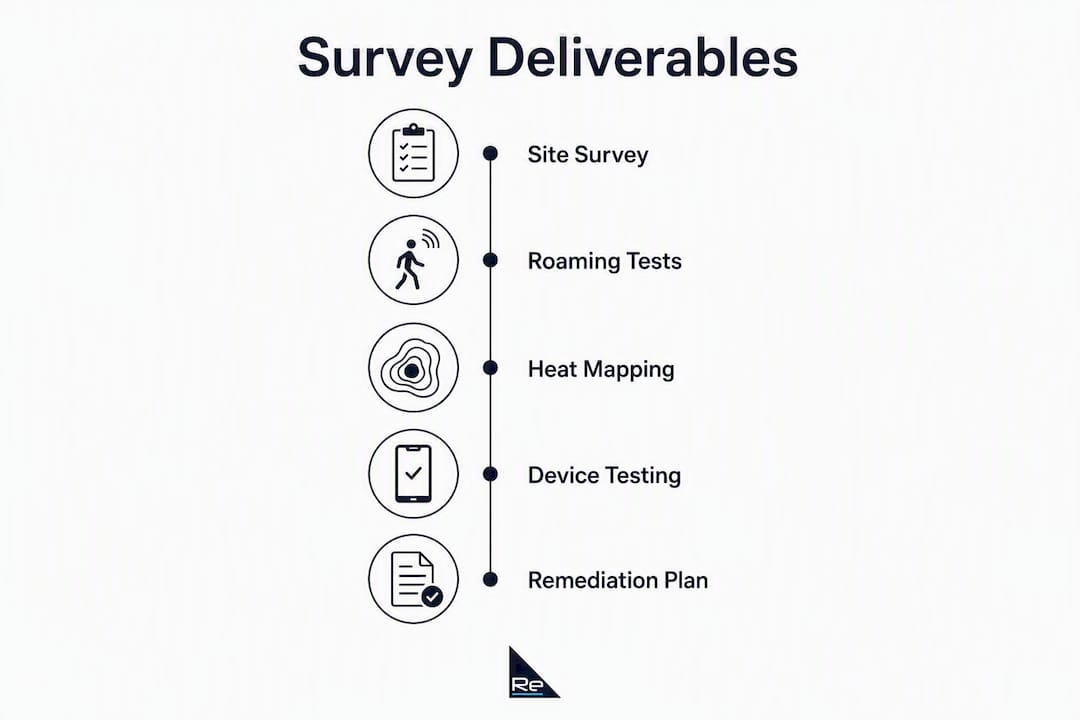
Deliverables to insist on from your survey vendor
| Deliverable | Business value |
|---|---|
| Roaming test logs (roam time in ms per transition point) | Acceptance test for pick continuity and AGV path validation |
| Heat maps annotated to workflow routes | Confirms coverage where it is operationally needed, not just where it is geometrically convenient |
| AP placement drawings with mounting heights and antenna orientation notes | Prevents installation errors and documents the design intent for future changes |
| Spectrum analysis report identifying interference sources | Informs channel planning and flags co-channel or adjacent-channel risks |
| Cold-room and dock transition test results | Validates coverage in zones where standard designs routinely fail |
| Risk register for identified coverage gaps | Gives procurement a basis for remediation scope and contingency budget |
Testing methodology must use the actual devices your staff carry. Walk tests with a laptop or a mobile phone will not replicate the roaming behaviour of a Zebra TC-series scanner or a Honeywell CK-series PDA. Require wheeled tests along forklift and AGV routes, door transition tests at every dock entrance, and cold-room entry and exit cycles. Industry guidance consistently emphasises that movement-based testing with real scanners is the only way to expose the roaming gaps that static surveys miss.
AP mounting, antenna choices, and density rules for racked aisles
The instinct to mount APs on the ceiling and rely on omnidirectional antennas is understandable — it mirrors office practice. In a high-bay racked warehouse, it is frequently the wrong choice.
Aruba’s warehouse design guidance recommends wall-mounted APs shooting down aisles, or directional sector antennas positioned at aisle ends, as the preferred approach for high-bay environments. The reason is path loss. A ceiling-mounted AP at 10–12 metres above the floor must push signal through or around rack structures to reach a scanner at waist height. A wall-mounted AP at 4–6 metres, aimed down the aisle, maintains line-of-sight to the device for a much greater proportion of the picker’s route.

Staggered placement matters too. Alternating AP positions on opposite walls of adjacent aisles creates a cellular pattern that supports fast roaming without excessive co-channel interference. AP density should be planned per workflow, not per square metre: count the number of concurrent devices per aisle during a peak shift, then design overlap zones that allow handover without contention.
Pro Tip: Mounting height is a genuine trade-off. Higher mounts give broader coverage but increase path loss to floor-level devices and may require directional antennas to compensate. Lower mounts improve signal at device height but reduce the coverage footprint per AP, increasing the AP count. For dock areas and external yard coverage, specify outdoor-rated or industrial APs with appropriate IP ratings — standard indoor units will not survive the temperature cycling and moisture exposure.
For connectorised APs, external antennas can be positioned to look into cold rooms or freezer areas from outside the temperature zone, protecting the AP hardware while maintaining coverage inside. This is the recommended approach for extreme-temperature zones.
Designing for movement: roaming, session persistence, and QoS
Roaming configuration is where most warehouse wireless deployments either succeed or fail. The protocols to enable are 802.11r (fast BSS transition), 802.11k (neighbour reports), and 802.11v (BSS transition management). Together, they reduce roam times and allow the network to guide devices towards better APs before signal degrades to the point of disconnection.
There is a practical caveat: some legacy barcode scanners do not support 802.11r, and enabling it on an SSID can cause compatibility issues with those devices. Always validate protocol support against your actual device inventory before configuring fast roaming network-wide.
Session persistence requires attention at the infrastructure layer:
- DHCP lease consistency: devices must retain their IP address across roaming events; short lease times or misconfigured DHCP scopes cause session drops that appear as application errors rather than network faults.
- QoS for AGV and robotics traffic: isolate AGV control traffic on a dedicated VLAN with strict priority queuing. Converging IT and OT infrastructure early is the recommended approach as warehouses adopt AGVs and autonomous systems, because retrofitting QoS policies onto a flat network is significantly more disruptive.
- Minimum RSSI policies: configure APs to refuse association from devices below a defined signal threshold, preventing sticky clients from clinging to a distant AP rather than roaming to a closer one.
- Probe-response tuning: suppress responses to weak probes to guide devices towards the most appropriate AP.
Pro Tip: Always test roaming with the actual barcode scanners and handhelds that staff will carry. A smartphone-based roaming test will show fast, clean handovers because modern smartphones implement 802.11r and k aggressively. A legacy scanner may stall for 300–500 ms during a roam — long enough to drop a WMS transaction. The only way to know is to test with the real device.
Managing Wi-Fi capacity and device concurrency across mixed device classes requires per-SSID bandwidth policies and careful VLAN segmentation to prevent scanner traffic from competing with video analytics or bulk data transfers.
Which hardware to choose for warehouse environments
Procurement specifications for a warehouse wireless network must go beyond AP model numbers. Environmental ratings, power architecture, and service SLAs are equally important.
AP and antenna categories
- Industrial or outdoor-rated APs: specify units rated for the operating temperature range of your coldest and hottest zones, with IP54 or higher ingress protection for dock and yard areas.
- Connectorised APs: allow external antenna placement for cold rooms, freezer areas, and locations where the AP body cannot be exposed to the environment.
- High-gain directional antennas: sector or patch antennas for aisle coverage and dock transitions where omnidirectional patterns waste energy in directions with no devices.
Switching and power infrastructure
PoE++ (802.3bt) switches are required for high-power APs and for powering external antenna assemblies. Plan PoE zoning so that a single switch failure does not take out coverage across an entire operational zone. Structured cabling with clearly labelled runs simplifies fault isolation and future moves, adds, and changes. Good cabling practice includes PoE zoning, cable management that accommodates thermal expansion in cold zones, and documentation that survives staff turnover.
For critical AP clusters — dock control points, AGV charging stations, WMS gateway locations — specify UPS or local battery backup. A brief mains interruption that takes down dock-door APs during a loading shift has a measurable cost in delayed departures and manual workarounds.
RFP checklist for buyers
| Specification | What to require |
|---|---|
| Device class | Industrial AP, connectorised AP, or standard enterprise AP per zone |
| Environmental rating | Operating temperature range (°C), IP rating for ingress protection |
| PoE standard | 802.3af / 802.3at / 802.3bt per AP power requirement |
| Expected lifespan | Minimum 5 years in the specified environment |
| Service SLA | On-site response time for 24/7 operations; advance hardware replacement |
Acceptance testing, KPIs, and a commissioning checklist
Acceptance testing is the contractual moment where you verify the installation against operational requirements. Define the KPIs before the project starts, not after the contractor has left.
| KPI | Acceptance threshold | Test method |
|---|---|---|
| Roam time | — | Barcode scanner during an aisle transit |
| Packet loss under load | Less than 1% | Active test during simulated peak-shift device concurrency |
| Average latency (WMS transaction) | — | End-to-end application test from scanner to WMS server |
| 95th-percentile latency | — | Sustained load test across all operational zones |
| Connection success rate | — | Scanner association attempts logged over a full shift simulation |
| Cold-room coverage | Signal above minimum RSSI threshold at all workflow points | Walk test with scanner inside cold room |
Commissioning checklist
- Route tests with barcode scanners along every pick path, measuring roam times at each AP transition.
- Forklift and AGV path tests, validating session persistence and latency for control traffic.
- Cold-room entry and exit cycles, confirming handover at the threshold and coverage at the furthest point inside.
- Dock-to-yard transition tests, verifying seamless handover between indoor and outdoor APs.
- WMS and RTLS integration tests, confirming that gateway devices maintain connectivity and that RTLS positioning data is accurate.
- Peak-load simulation, running all device classes concurrently to validate throughput and latency under realistic conditions.
When KPIs are missed, require a written remediation plan with a re-test schedule before accepting the installation. Common remediation steps include AP repositioning, antenna substitution, channel plan revision, and roaming threshold adjustment.
Security and compliance for warehouse Wi-Fi
A warehouse network carries WMS transaction data, AGV control signals, RTLS positioning data, and potentially guest or contractor access. Each traffic type has different security requirements, and mixing them on a flat network is a significant risk.
- WPA3-Enterprise where device support allows; WPA2-Enterprise with EAP-TLS as a minimum for WMS and operational SSIDs.
- Network segmentation: separate SSIDs and VLANs for WMS traffic, RTLS and IoT devices, AGV control, and guest or contractor access. Never allow guest traffic to reach operational VLANs.
- NAC and device profiling: use network access control to profile and authenticate every endpoint. Unknown devices should be quarantined automatically, not granted access pending investigation.
- Certificate lifecycle management: EAP-TLS certificates have expiry dates. A certificate expiry on a WMS SSID during a peak period will take down scanner connectivity across the affected zone. Automate renewal and monitor expiry dates centrally.
- Routine vulnerability scanning: include wireless infrastructure in your regular vulnerability assessment schedule. Unpatched AP firmware is a common entry point.
Pro Tip: For UK operations, confirm that your wireless management platform and any cloud-based controller stores and processes data in accordance with UK data protection requirements. Cloud-managed platforms such as Cisco Meraki offer data residency options — verify the configuration rather than assuming the default meets your compliance position.
Common causes of failure and how to diagnose them quickly
Most warehouse wireless failures fall into a small number of categories. A structured diagnostic approach resolves them faster than ad hoc investigation.
Rapid troubleshooting checklist
- Roaming stalls: reproduce the complaint route with the actual device. Measure roam time at each AP transition. Check minimum RSSI and roaming threshold configuration on the controller.
- Scanner latency spikes: measure packet loss and round-trip latency from the scanner to the WMS server during the complaint period. Check for co-channel interference on the AP serving that zone.
- Cold-room blackspots: walk the cold room with a scanner, logging RSSI and packet loss at each workflow point. Verify that the antenna serving the cold room has not been physically displaced or damaged.
- RFID gateway dropouts: check the switch port for PoE errors and power budget overruns. Verify that the gateway’s VLAN and SSID configuration has not been altered by a recent change.
- Intermittent AP hardware failure: check the controller for AP uptime logs and error counts. A pattern of brief disconnections followed by recovery often indicates a PoE power issue rather than AP hardware failure.
Common underlying causes worth checking proactively:
- Inventory density changes after a major stock movement — full racks absorb RF differently from empty ones, and a design validated on an empty warehouse may develop blackspots when fully stocked.
- New equipment introduced to the floor (additional forklifts, new RFID readers, third-party Bluetooth devices) that creates interference on previously clean channels.
- Firmware updates on APs or controllers that alter roaming behaviour or default QoS settings.
Revalidate the network after any significant layout change, major stock movement, or introduction of new device types. This is not a one-time exercise.
When does a managed wireless service make more sense than an in-house project?
Several indicators point clearly towards engaging a managed service partner rather than running the project in-house.
- Your IT team has strong general networking skills but limited RF design experience specific to warehouse environments.
- You are rolling out across multiple sites with different building types, racking configurations, and temperature zones.
- Your operations require a defined uptime SLA and 24/7 incident response that your internal team cannot cover.
- You need continuous monitoring, lifecycle management, and scheduled revalidation after layout changes — not just a one-time installation.
An experienced managed partner delivers end-to-end surveys, staged deployment with acceptance testing at each phase, 24/7 monitoring and incident response, firmware and lifecycle management, and integration support for WMS and IoT platforms. The scope should include scheduled revalidation after major layout changes, not just reactive support.
For multi-site UK logistics operations, a Network as a Service model provides predictable OPEX, lifecycle management, and SLA-backed monitoring without the capital expenditure of owning and maintaining the infrastructure outright.
Integrating warehouse wireless with WMS and IoT devices
The wireless network is the transport layer for every system that depends on real-time data: WMS transactions, RTLS positioning, AGV navigation, environmental monitoring, and video analytics. Integration planning must happen at the network design stage, not after the WLAN is installed.

WMS integration requires low-latency, high-reliability connectivity between handheld scanners and the WMS server. Any roaming event that drops a transaction creates a data integrity problem, not just a connectivity inconvenience. Design the WLAN so that WMS traffic is prioritised through QoS policies and that roaming events are invisible to the application layer.
RTLS systems, particularly BLE-based solutions, must coexist with the Wi-Fi network without mutual interference. BLE RTLS anchors operating in the 2.4 GHz band can affect Wi-Fi channel utilisation if not planned carefully. Coordinate channel assignments and anchor placement with the WLAN design from the outset. BLE RTLS deployments can deliver significant improvements in inventory accuracy and cycle count efficiency, and they operate across the temperature ranges found in most warehouse environments.
IoT sensors for environmental monitoring, door status, and energy management add low-bandwidth but persistent traffic that must be segmented from operational WMS and AGV traffic. A dedicated IoT VLAN with appropriate QoS and firewall rules prevents sensor traffic from affecting operational systems and limits the blast radius of any compromised IoT device.
For warehouses adopting AGVs and robotics, converging IT and OT infrastructure early is the recommended approach. Retrofitting OT network requirements onto an existing IT-centric WLAN is consistently more disruptive and expensive than designing for convergence from the start.
Maintaining and monitoring your warehouse wireless network long-term
A warehouse WLAN is not a set-and-forget infrastructure. The RF environment changes as the business changes, and without active monitoring, degradation is invisible until it causes operational failures.
Cloud-managed platforms, including Cisco Meraki, provide centralised visibility across all APs, with alerting on AP health, client connectivity, and channel utilisation. Cisco Meraki’s dashboard surfaces roaming events, client association failures, and interference trends in near real time, allowing IT teams to identify developing problems before they affect operations. For UK warehouses running Meraki wireless infrastructure, the cloud management layer also simplifies firmware updates and policy changes across multiple sites from a single interface.
Monitoring should cover:
- AP uptime and hardware health, with automated alerting on any AP that goes offline.
- Client connectivity metrics: association success rate, roaming event frequency, and session duration by device class.
- Channel utilisation and interference trends, flagging zones where co-channel contention is increasing.
- PoE switch port health, including power budget utilisation and error counts.
Scheduled revalidation is as important as day-to-day monitoring. Conduct a formal RF survey after any significant racking reconfiguration, after introducing new device types, and at least annually for high-throughput operations. The commercial Wi-Fi design principles that apply to large commercial environments — planned coverage overlap, documented channel plans, and regular performance benchmarking — apply with equal force in a warehouse context.
Patch management for AP firmware and wireless controllers must be scheduled and tested, not deferred indefinitely. Unpatched firmware is the most common source of both security vulnerabilities and unexpected behaviour changes in wireless infrastructure.
Key takeaways
A warehouse wireless network succeeds or fails on task continuity during movement — not on static coverage percentages.
| Point | Details |
|---|---|
| Commission a blended site survey | Combine predictive modelling, active device testing, and passive spectrum analysis; test with your actual scanners and PDAs. |
| Design for roaming, not coverage | Enable 802.11r, 802.11k, and 802.11v; set minimum RSSI policies and validate roam times with real devices. |
| Specify industrial hardware for extreme zones | Require IP-rated APs, connectorised antenna options for cold rooms, and PoE++ switches with UPS backup at critical clusters. |
| Define acceptance KPIs before installation | Require low packet loss, low average WMS latency, and high connection success rate at sign-off. |
| Re-solution for managed wireless | Re-solution delivers wireless site surveys, NaaS, and 24/7 monitoring for UK warehouse and logistics operations. |
The case for treating roaming as the primary design constraint
Most warehouse wireless failures I encounter in post-mortems share the same root cause: the network was designed around coverage, and roaming was treated as a secondary concern to be addressed during commissioning. By that point, the AP placement is fixed, the cabling is in, and remediation is expensive.
The evidence from warehouse deployments consistently points in one direction: roaming performance and task continuity must be the primary design constraints, not afterthoughts. A heat map that shows 95% coverage tells you almost nothing about whether a picker’s scanner will maintain a WMS session while moving from aisle 7 to aisle 12. Only a roaming test with the actual device on the actual route answers that question.
The second point that tends to be underestimated is the ongoing cost of a poorly maintained network. Intermittent failures in a warehouse are rarely reported as network faults. They appear as unexplained pick errors, WMS transaction retries, AGV navigation pauses, and supervisor investigations. The labour cost of those incidents accumulates invisibly. Continuous monitoring, regular revalidation after layout changes, and a managed partner with warehouse-specific RF expertise convert that hidden cost into a predictable, manageable OPEX line.
For UK logistics operations with multi-site footprints or limited in-house RF expertise, the managed service model is not a luxury. It is the operationally rational choice.
Re-solution: warehouse wireless surveys and managed network services
Re-solution brings over 35 years of Cisco infrastructure experience to UK warehouse and logistics operations, covering wireless site surveys, managed NaaS, infrastructure audits, and 24/7 network monitoring. For facilities managers and IT teams who need a network that performs under operational load — not just on a heat map — Re-solution’s approach starts with a performance-focused survey that tests roaming, task continuity, and cold-room coverage using your actual devices and workflows.

A first engagement typically covers a blended site survey with full deliverables (roaming test logs, annotated heat maps, AP placement drawings, and a risk register), acceptance KPI definition, phased deployment, and the option to transition to an ongoing NaaS contract for lifecycle management and SLA-backed monitoring. For operations that need a formal assessment of existing infrastructure before committing to a redesign, Re-solution’s network audit service provides a structured starting point.
Contact Re-solution to scope a warehouse wireless survey for your UK site.
Useful sources and further reading
- Aruba Warehouse WLAN Design Guide — detailed AP placement diagrams, antenna selection guidance, and cold-room design recommendations from Aruba’s technical documentation team.
- Building reliable wireless networks for warehouses — practitioner guidance on roaming, scanner compatibility, RFID coexistence, and cold-storage testing methodology.
- Re-solution: why invest in a wireless site survey? — explains the business case for active, performance-focused surveys and what to expect from the process.
- Re-solution Meraki wireless solutions — overview of Cisco Meraki cloud-managed wireless and how it supports warehouse automation and multi-site management.
- Ripples IoT RTLS inventory management — detail on BLE RTLS deployment for inventory accuracy and cycle count improvement, including operating temperature specifications.
- Nokia private wireless for supply chain — reference for private wireless architectures supporting AGVs, AMRs, and Supply Chain 4.0 requirements.
Recommended
- Meraki Wireless
- Why Invest in a Wireless Site Survey? | Re-Solution
- How to manage workspace bandwidth: IT manager’s guide
- Warehousing & Logistics | Cisco Cloud, Security & Datacenter Experts