Outsourced network management is the right move once monitoring, patching, and vendor tickets start eating hours your team should spend on projects. If your estate spans multiple sites, needs cover beyond 9 to 5, or your internal team is stretched thin, a co-managed model usually fits better than a full handover. The practical next step is a scoped discovery to confirm which parts of the network genuinely need outside support.
TL;DR:
- Outsourced network management is most beneficial when monitoring and incident response hours are consuming internal resources, especially across multiple sites.
- Service models vary from monitoring-only to fully managed networks, with co-management offering a balanced approach that preserves internal control over key decisions.
- Clear evaluation criteria include SLA details, operational proof, tooling transparency, and provider credentials, with particular attention to scope limits and how costs scale with estate growth.
- Pricing heavily depends on device count, coverage hours, and licensing structure, and vendor relationships related to hardware and monitoring licences can significantly impact costs.
- Effective onboarding requires discovery, access setup, stabilization, and early reporting, while governance questions about security, liability, and audit rights must be clarified upfront.
Table of Contents
- What does outsourced network management actually cover?
- What benefits do IT decision-makers actually get?
- Which service model actually fits your network?
- How should you evaluate and shortlist providers?
- What does outsourced network management cost?
- What does good onboarding and handover look like?
- What risks and compliance boundaries need clarifying upfront?
- How does Re-solution approach outsourced network management?
- What does outsourcing actually change in practice?
- When does keeping network management in-house make more sense?
- How Re-solution can help with your network operations
- Sources
- FAQ
What does outsourced network management actually cover?
Outsourced network management is a defined set of operational tasks, not a vague label for “someone else handling IT.” It typically covers the ongoing running of switches, routers, wireless controllers, firewalls, and the connections between sites, whether hosted, cloud managed, or on premises.
Most engagements combine reactive and proactive work. The core scope generally includes:
- 24/7 monitoring, alert triage, and structured incident escalation
- Firmware updates, patching, and configuration backups on a set schedule
- Vendor and carrier ticket handling, including chasing circuit faults
- Reporting against agreed metrics, usually monthly
- Documentation and runbooks that state exactly who owns what
That last point matters more than it sounds. In co-managed setups, unclear ownership of change approval or firmware sign-off is where most friction starts, not the technical work itself. A written scope matrix, agreed before go-live, prevents most of it.
What benefits do IT decision-makers actually get?
The case for outsourcing rests on five practical gains, and most organisations feel the first two within weeks rather than months.
- Uptime and coverage improve because a provider staffs around the clock against measurable SLAs, not ad hoc rotas.
- Specialist skills become available on demand, covering wireless, SD-WAN, or security configurations that a small internal team rarely has time to master.
- Cost becomes predictable, since a monthly service fee replaces the unpredictable expense of recruiting, training, and retaining NOC staff.
- Internal teams refocus on architecture and projects rather than firefighting alerts at 2am.
- Vendor coordination speeds up, because the provider already holds carrier and manufacturer relationships and knows the escalation paths.
Skills shortages and alert fatigue are consistently the reasons organisations start looking at outsourcing in the first place, rather than any single outage.
Pro Tip: Ask a prospective provider for their average time-to-acknowledge on P1 incidents over the last quarter, not their advertised SLA target. The gap between the two tells you far more than the contract does.
Which service model actually fits your network?
Not every outsourcing arrangement means giving up control, and the models differ enough that picking the wrong one causes real friction later.
- Monitoring-only: the provider watches and alerts; your team still fixes things. Good for organisations that want visibility without losing hands-on control.
- Co-managed: the provider handles day-to-day operations and escalation, while your team retains architectural decisions and change sign-off. Often the lowest-risk step for teams unwilling to lose oversight entirely.
- Fully managed: the provider owns operations, maintenance, and often the relationship with hardware vendors end to end.
- Network as a Service (NaaS): hardware, licensing, and lifecycle refresh are bundled into a subscription, converting capital spend into an operating cost.
Before signing anything, ask each shortlisted provider: who approves changes, who owns the licensing, and what happens if the relationship ends?
How should you evaluate and shortlist providers?
Marketing pages rarely reveal how a provider actually behaves at 3am during an outage. The way to find out is to request evidence, not promises, before you sign.
Focus your questions on five areas:
- SLA specifics: response time by severity, remediation targets, and how uptime is actually measured (not just quoted).
- Operational proof: ask to see a sample runbook, an escalation matrix, and a real monthly report, not a template.
- Tooling transparency: does the provider own the monitoring platform, or does it rebill per-device licences that inflate costs as your estate grows?
- Credentials and references: partner accreditations, such as Cisco partnership status, plus references from organisations of a similar size and sector.
- Contract boundaries: scope limits, change control procedures, liability caps, and your right to audit their work.
Reviewing a genuine sample incident report before contracting reveals more about a provider’s discipline than any sales deck. Look specifically at how they document root cause, not just how quickly they closed the ticket.
Platform ownership deserves particular scrutiny. If a provider rebills monitoring licences per device, your costs can climb sharply as you add sites or endpoints, even when the headline monthly fee looked competitive at signing.
For a structured way to compare candidates, Re-solution’s guide to monitoring network health sets out the telemetry questions worth asking before you commit.
What does outsourced network management cost?
Pricing varies more than most quotes make obvious, and the headline monthly figure rarely tells the whole story.
The main drivers are the number of monitored devices, how many sites are involved, the coverage hours you need (business hours versus true 24/7), and how deep the escalation tier goes before your team gets involved. Per-device platform licence rebilling is the most common trap, quietly turning a competitive quote into an expensive one as your estate grows.
NaaS changes the shape of the spend entirely: it folds hardware refresh cycles into the monthly fee, trading capital outlay for operating cost predictability.
When comparing quotes, request:
- Cost per device at your current count, and at 20% growth
- Whether monitoring software licences are included or rebilled separately
- What coverage hours the base price actually buys
- Any additional charges for emergency out-of-hours callouts
What does good onboarding and handover look like?
The first few months set the tone for the entire engagement, and rushing this phase is often where outsourcing relationships encounter problems.
- Discovery comes first: a full device inventory, network map, and baseline telemetry so the provider knows what “normal” looks like.
- Access and workflow setup follows: provisioning admin accounts, agreeing the change approval process, and building the initial runbook together.
- Stabilisation work then tunes alert thresholds, cleans up legacy documentation, and confirms carrier and vendor contacts.
- Early reporting should show measurable progress within the first month, not just activity logs.
Stabilisation before optimisation is the realistic expectation. A provider promising instant performance gains in week one is usually skipping the discovery work that actually protects you later.
What risks and compliance boundaries need clarifying upfront?
Outsourcing operations should not mean outsourcing accountability, and a handful of governance questions need answers before go-live.
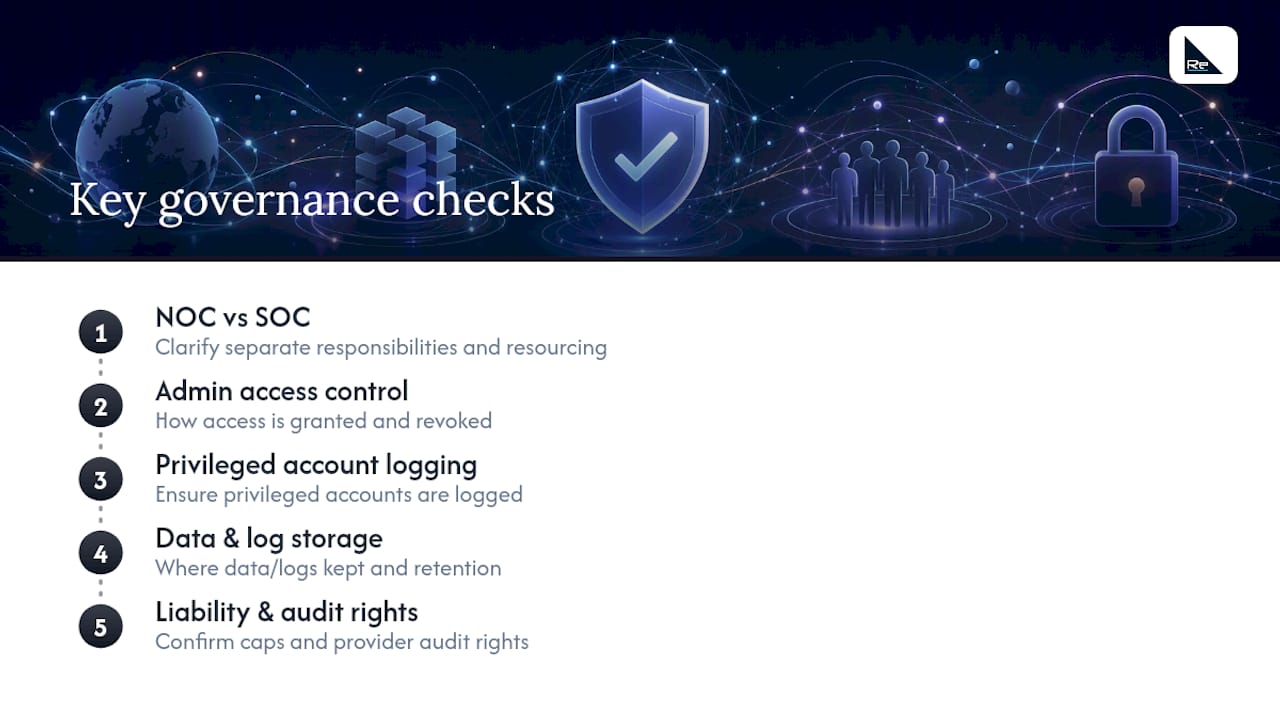
Clarify whether monitoring (NOC) and security monitoring (SOC) sit with the same team or separately. Conflating the two under one desk risks under-resourced threat detection, since availability alerts and attack indicators need different skills and different urgency. Ask how administrative access is controlled, whether privileged accounts are logged, and how long audit trails are retained. Confirm what data the provider handles, where logs are stored, and whether that satisfies your sector’s compliance obligations. Finally, check the contract for liability caps and your right to audit the provider’s own security practices, not just your network’s.
How does Re-solution approach outsourced network management?
A typical Cisco-focused provider works with education, manufacturing, logistics, hospitality, and property clients, and has extensive experience in networking, which shapes how engagements are scoped rather than sold.
Relevant services include managed IT services for day-to-day operations, NaaS for organisations wanting predictable OPEX, and network audits as a discovery step before any managed contract begins. Multi-site estates running Meraki infrastructure particularly benefit from centralised visibility across locations.
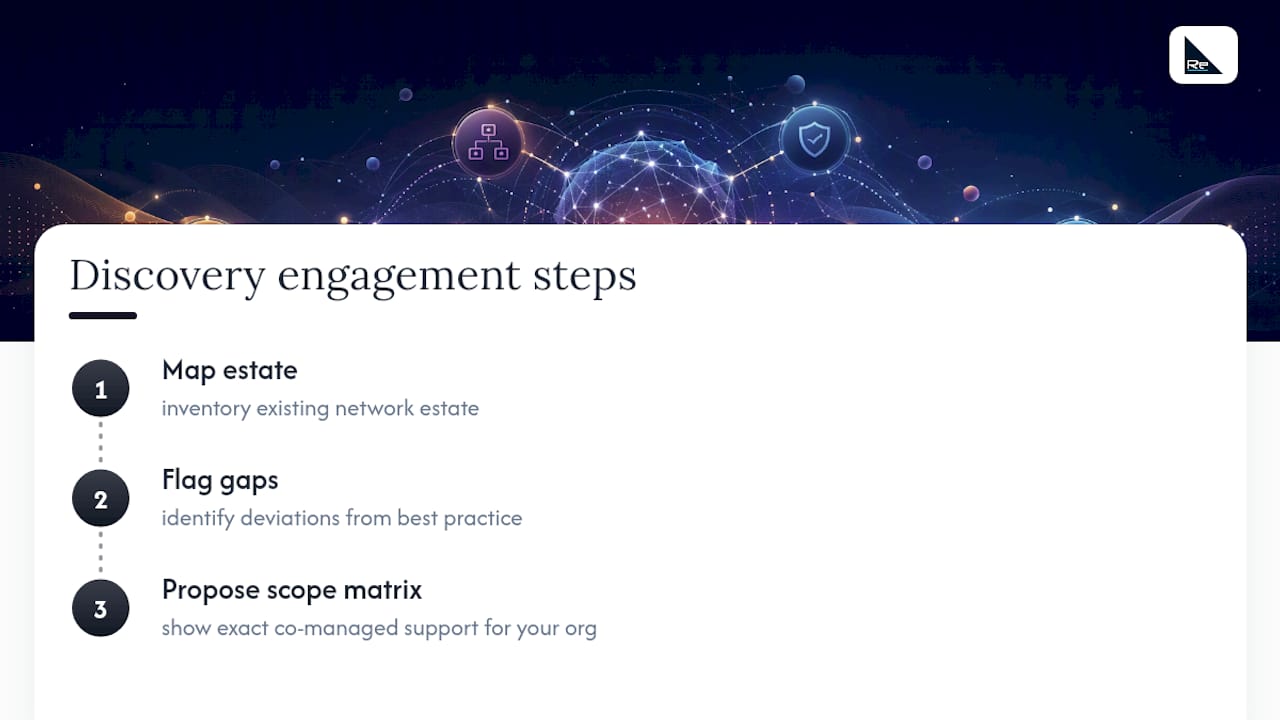
A typical discovery engagement maps your existing estate, flags gaps against best practice, and proposes a scope matrix before any commitment, so you see exactly what co-managed support would look like for your organisation specifically.
What does outsourcing actually change in practice?
Consider two common scenarios that illustrate where outsourcing earns its cost. A multi-site retail or hospitality group with locations spread across the country often struggles to justify a 24/7 internal NOC for a handful of sites each; outsourced monitoring gives them enterprise-grade coverage without the headcount, and a single incident caught overnight, say a failing switch stack at a distribution site, can prevent a full-day outage that would otherwise hit trading hours.
A manufacturing business running legacy on-site infrastructure alongside newer cloud-managed access points faces a different problem: internal staff know the old kit intimately but have no real bandwidth to learn the new platform properly. Co-managed support lets that internal knowledge stay in place for legacy troubleshooting, while the outsourced partner takes on the newer, more time-intensive monitoring and firmware management.
The pattern in both cases is the same: outsourcing works best when it removes a specific, measurable burden rather than replacing the internal team wholesale. Organisations that outsource without first identifying that burden tend to end up paying for capability they do not need, while under-provisioning the part of the network actually causing them problems. A proper discovery phase, even a light one, usually surfaces which scenario applies before any contract is signed.
When does keeping network management in-house make more sense?
If your estate is small, stable, and rarely changes, in-house ownership can still be the smarter call. Co-managed support is often the pragmatic middle ground otherwise. Watch for the real signposts: multi-site growth, 24/7 demands, or a team that is permanently behind on tickets. That is when outsourcing earns its keep.
— Jacob
How Re-solution can help with your network operations
There are other routes to solving this: building an internal NOC from scratch, or hiring a generalist IT support desk that treats networking as one ticket type among many. Re-solution takes a different route, one built specifically around Cisco infrastructure rather than general helpdesk support, which matters once your estate includes wireless, SD-WAN, or multi-site connectivity that a generalist provider typically outsources anyway.

Re-solution’s managed IT services cover the day-to-day monitoring, maintenance, and reporting outlined throughout this guide. For organisations wanting predictable monthly costs instead of capital outlay, NaaS bundles hardware and lifecycle refresh into one subscription. And if you are not yet sure which model fits, a network audit is the sensible starting point, giving you a clear baseline before you commit to anything. Get in touch to book a discovery and see what a co-managed scope would look like for your organisation.
Sources
- Outsourced Network Management: Is It Right for Your Business?
- Hiring an Outsourced Network Operations Center (NOC): What You Should Know
- NOC as a Service — 24/7 Outsourced Network Operations
- Why the real question isn’t “should we outsource network management?”
- Network as a Service (NaaS) | SRS Networks
FAQ
Is outsourcing a dying concept?
No. Outsourced network management is growing as networks become more complex and skills shortages persist, with co-managed and NaaS models specifically designed to keep internal teams in control while offloading operational load.
What are the five types of network management?
Common categories include fault management, configuration management, performance management, security management, and accounting management, each covering a distinct operational responsibility within the network.
What are the four types of outsourcing?
Outsourcing is generally grouped into professional outsourcing (specialist skills like network engineering), IT outsourcing, project outsourcing, and process outsourcing, though the boundaries between them often overlap in practice.
What are examples of outsourcing in network management?
Typical examples include 24/7 monitoring and alerting, firmware and patch management, vendor and carrier ticket handling, security monitoring, help desk support, and Network as a Service subscription that bundle hardware refresh with ongoing operations.
Recommended
- Prove every finding: Network audit checklist for IT managers
- Benefits of managed networks for IT teams in 2026
- Network assurance for IT teams: a practical guide
- Network Change Management for IT Teams: The 5 Steps, Checklists & KPIs