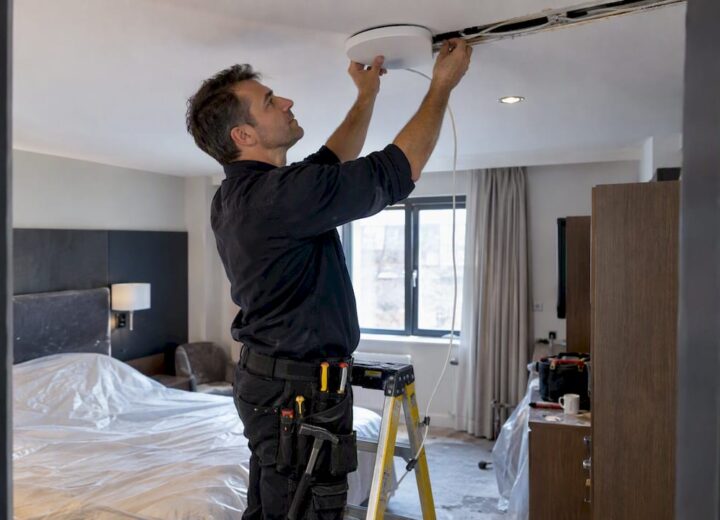
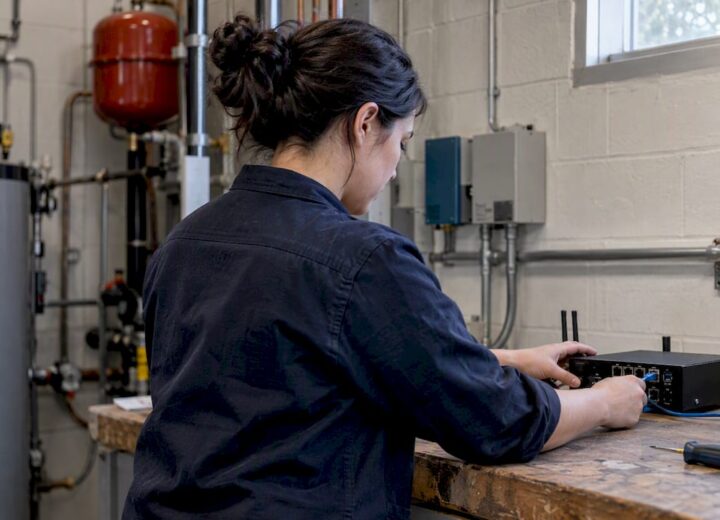
Most UK student halls include Wi‑Fi in the rent, and it will usually cover study, streaming, and everyday gaming without a hitch. Wired ports offer the steadiest connection where one is fitted, so use it for anything latency‑sensitive. If performance still falls short, check the tenancy or induction guide, run a proper speed test on both wired and wireless, and take that evidence to reception or building IT before assuming the worst.
TL;DR:
- Managed Wi‑Fi in student halls typically offers speeds up to 500 Mb/s on wired and wireless networks, but actual performance varies during peak hours due to shared airspace and interference.
- Connecting via Ethernet is the most reliable method for latency-sensitive activities, and switching to 5 GHz Wi‑Fi can improve speed and reduce congestion.
- Troubleshooting involves testing speeds on multiple devices, updating drivers, moving away from interference, and providing detailed, evidence-based reports for support teams.
- Private housing usually requires tenants to arrange their own broadband service, with contract lengths best aligned to the tenancy duration, especially for year-long university stays.
- Professional wireless site surveys help identify coverage gaps and capacity issues in larger buildings, preventing recurring complaints and enabling targeted infrastructure upgrades.
Table of Contents
- How is student accommodation Wi‑Fi typically provided?
- What speeds and coverage should you actually expect?
- How do you set up and improve your connection right now?
- How do you troubleshoot problems and report them properly?
- When do you need your own broadband contract?
- Why does a wireless survey matter for large student buildings?
- What students get right and property teams often miss
- How Re-Solution supports accommodation providers
- Sources
- FAQ
How is student accommodation Wi‑Fi typically provided?
Purpose-built student accommodation (PBSA) and university halls almost always run Wi‑Fi as a managed service rather than something you set up yourself. The building itself has a contract with a connectivity provider, and that service is bundled into your rent from day one.
This managed model typically includes:
- Building-wide wireless coverage across communal areas, kitchens, and bedrooms
- A wired Ethernet port in each room, usually the fastest and most reliable route online
- A resident portal for registering devices, checking usage, and raising support tickets
- 24/7 technical support run by the provider or building management, not your university’s IT helpdesk
CODE Leicester is a good example of this in practice. Residents get superfast broadband included at no extra cost, with wired and wireless speeds reported up to 500 Mb/s and round-the-clock support. Student Roost takes the same approach, offering free Wi‑Fi across its buildings with device allowance limits and guest access built in.
Private shared houses work differently. Tenants usually need to arrange their own broadband and split the router between housemates, which means checking your tenancy agreement for any restrictions on installing new lines. Some landlords require permission before you drill for cabling or swap out existing kit.
Whichever setup you’re in, “included” rarely means unlimited or unrestricted. Expect a cap on how many devices you can connect per person, a separate guest network for visitors, and sometimes a paid upgrade tier if you need more bandwidth for things like competitive gaming. Your induction pack or the accommodation’s welcome guide should spell out exactly which provider runs the network and what the standard allowance covers.
What speeds and coverage should you actually expect?
Numbers vary by building, but PBSA examples give a realistic picture. LIV Student properties report wired connections up to 900 Mb/s with Wi‑Fi nominally reaching around 200 Mb/s, while CODE Leicester advertises wired and wireless speeds up to 500 Mb/s. These are nominal figures, meaning the maximum theoretical speed under ideal conditions, not a guarantee at your desk during peak hours.
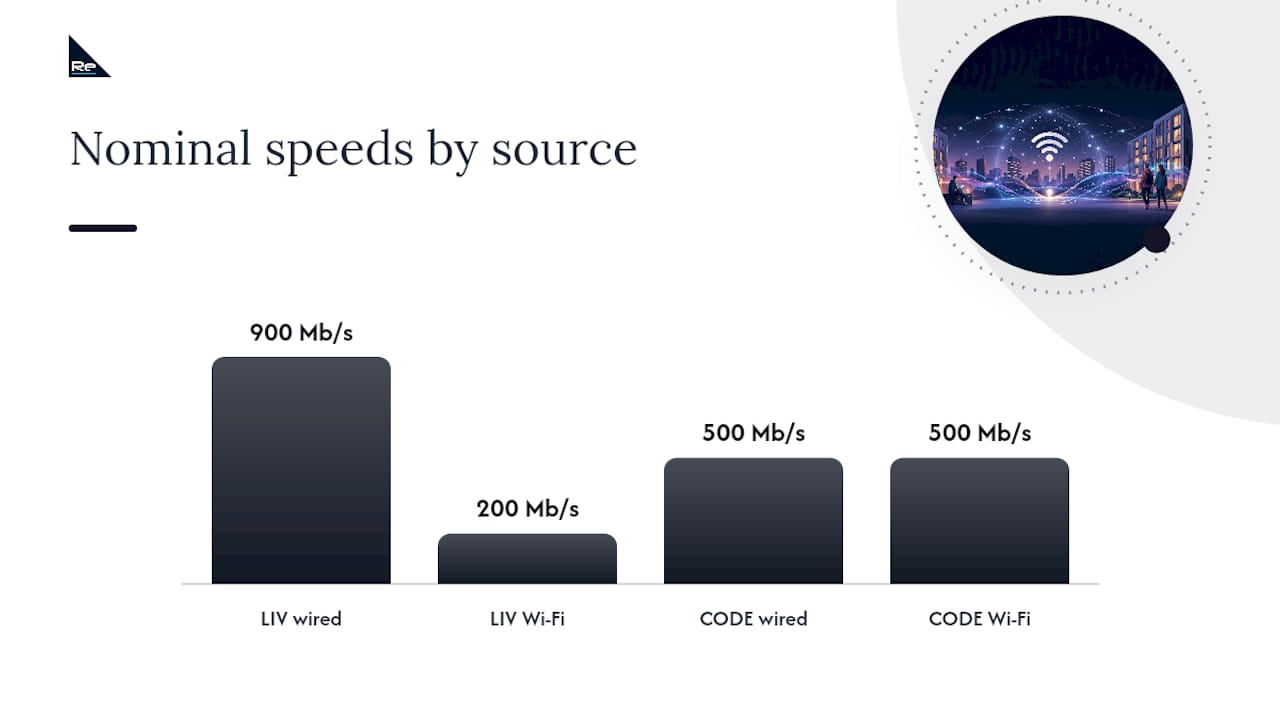
That gap between wired and wireless comes down to physics as much as provider policy. A cable carries a dedicated signal with minimal interference. Wireless has to share airspace with every other device on your floor, plus walls, microwaves, and neighbouring networks fighting for the same channels.
Two separate things affect how your connection feels day to day:
- Throughput — how much data moves per second, measured in Mb/s
- Latency — the delay before data starts moving, measured in milliseconds, and the reason a wired connection feels snappier even at similar throughput
Peak times matter more than most students expect. Between 8pm and midnight, when everyone in the building is streaming, gaming, or on a video call at once, wireless speeds can dip noticeably even though the wired backbone stays largely unaffected.
Pro Tip: Run your speed test at the same time each day for a week, once on wired and once on Wi‑Fi, and note the time, device, and test server used. A single test proves nothing; a pattern proves everything when you report an issue.
How do you set up and improve your connection right now?
Getting the most out of accommodation Wi‑Fi rarely means fighting the building’s infrastructure. It means using what’s already there more sensibly.
- Plug in wherever you can. If your room has an Ethernet port, use it for anything that hates lag, gaming, video calls, or uploading large files for coursework. Confirm the port is active and rated for gigabit speeds; some older buildings cap ports lower than the advertised headline figure.
- Switch to the 5 GHz band on your router or access point. It’s faster and less congested than 2.4 GHz, though it has a shorter range, so it works best if you’re close to the access point.
- Update your device drivers and network firmware. An outdated Wi‑Fi adapter driver is a surprisingly common cause of dropped connections that looks like a building-wide fault but isn’t.
- Forget and rejoin the network if you’re on an old profile that’s holding onto a weak signal or an outdated password.
- Move your device away from interference. Microwaves, fridges, and even fish tanks disrupt 2.4 GHz signals badly; repositioning your laptop a few feet can fix a “dead spot” instantly.
- Use a short, good-quality Cat6 cable if you’re wiring in, and consider a small unmanaged switch if you have multiple devices needing a wired connection in one room.
If none of that helps and the problem persists across several days, it’s time to escalate. Request an access point move, a private VLAN, or a proper site survey from building IT, and include your room number, the times you tested, and your test results. A vague “the Wi‑Fi is bad” ticket gets a slow response; a data-backed one gets a fast one.
How do you troubleshoot problems and report them properly?
Before contacting anyone, work out the scope of the problem. Is it one device, one room, the whole flat, or the entire building? That single question shapes whether the fault sits with your laptop, your room’s access point, or the provider’s core network.
- Test methodically. Run a wired speed test and a wireless one, then a ping test to check latency (anything consistently above 50ms on a wired connection suggests a real problem, not just background congestion).
- Try another device. If your phone gets full speed but your laptop doesn’t, the fault is almost certainly your laptop, not the building’s network.
- Restart the basics. Reboot your router or access point and your device before assuming anything is broken at a higher level.
- Collect specific evidence. Note the exact time of the fault, screenshots of speed test results, your room number or wired port ID if you have one, and the exact wording of any error message.
- Submit a detailed ticket through the resident portal or reception rather than a passing comment to a housemate; managed providers work faster from a documented report than a vague complaint.
Support quality varies by provider, but most managed PBSA networks commit to defined response windows, with straightforward issues resolved same-day and building-wide faults escalated to the provider’s engineering team. Scheduled maintenance, usually announced in advance through the resident portal, can also explain a temporary dip that clears itself within a few hours.
When do you need your own broadband contract?
A separate contract makes sense in a handful of situations: you’re in a tenant-managed shared house with no bundled connectivity, the managed service in your building has been consistently poor for weeks despite reported tickets, or you have specific technical needs the shared network can’t meet, such as hosting a dedicated games server.
If you do need your own line, match the contract length to your tenancy rather than defaulting to whatever deal looks the cheapest on the homepage.
- 12-month contracts usually line up neatly with a standard academic-year tenancy and tend to carry the lowest monthly price.
- Rolling monthly contracts cost more per month but suit short lets, summer stays, or situations where your accommodation plans are uncertain.
- Compare the total first-year cost, including any setup fee, not just the headline monthly figure, since some deals to reduce the advertised price with a steep activation charge.
Before signing anything, check your landlord permits new lines, confirm availability at your postcode with providers such as BT, Virgin Media, or Hyperoptic, and build in a few days’ lead time for installation before term starts.
Why does a wireless survey matter for large student buildings?
Recurrent Wi‑Fi complaints in a 200-bed block are rarely about one broken router. They’re usually a capacity and coverage problem baked into how the network was designed, or how it’s aged since.
A professional wireless site survey maps signal strength and contention room by room, producing heatmaps and a channel plan that shows exactly where access points are overloaded or missing entirely. Paired with Network as a Service, a property team gets centralised monitoring and remote configuration, so faults surface as alerts rather than as a queue of frustrated resident tickets.
A survey and managed NaaS setup typically delivers:
- Coverage heatmaps showing dead zones room by room
- Capacity planning for peak-time device density, not just average load
- Per-bed network segmentation for privacy and security
- Ongoing monitoring against defined service levels rather than reactive fixes
Re-Solution’s work with West London Academy on cloud networking is a useful reference point for what this looks like delivered. The right trigger to commission one isn’t always a crisis. New builds, buildings adding smart common spaces, or blocks where every student now carries three or four connected devices instead of one are all good reasons to survey before problems become complaints.
What students get right and property teams often miss
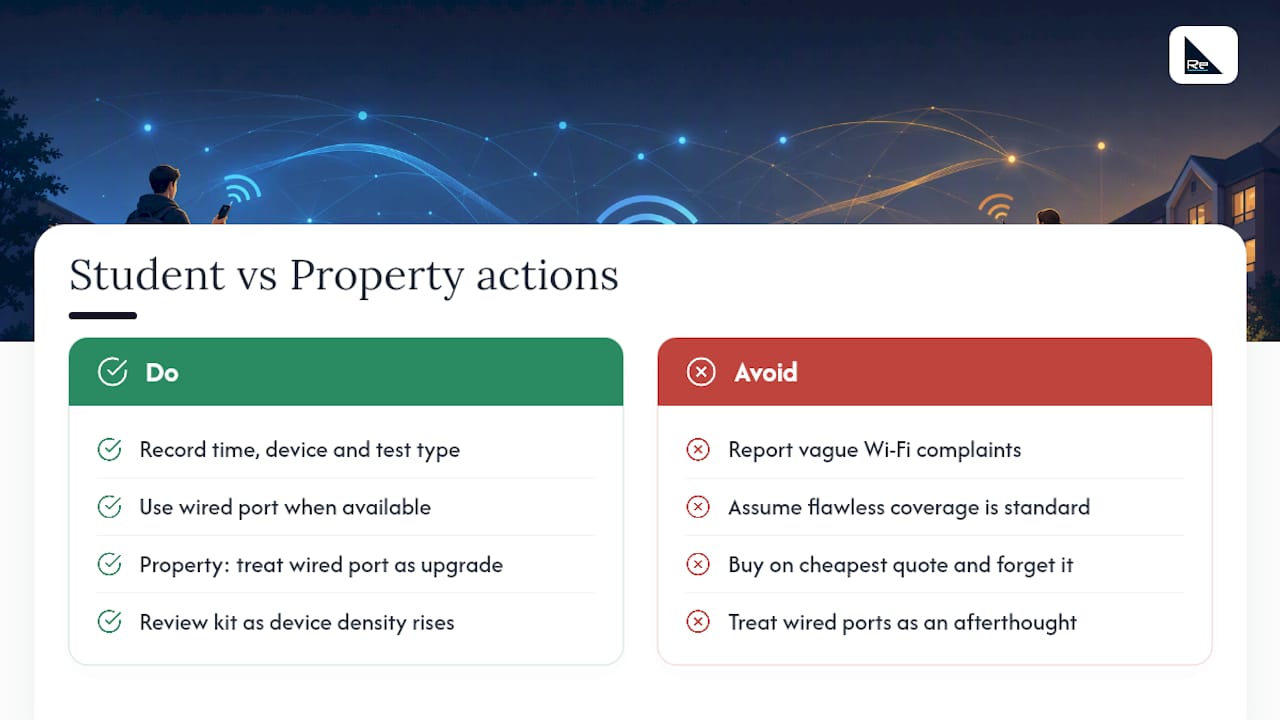
Students are usually pragmatic about this. They don’t expect flawless Wi‑Fi; they expect it to work for lectures, coursework, and downtime, and they’ll use the wired port without complaint once they know it exists. The gap I see more often sits on the property side: buildings that bought network kit on the cheapest quote years ago and never revisited it as device density tripled.
The fix isn’t complicated. Students should keep evidence specific (time, device, test type) rather than vague, and property teams should treat a wired port as the cheapest performance upgrade available, not an afterthought.
— Jacob
How Re-Solution supports accommodation providers
If you manage a student building rather than live in one, the patterns in this guide, congestion at peak times, patchy coverage in stairwells, tickets that never quite get resolved, usually point to a network that’s outgrown its original design. Specialist teams work with property developers and housing associations to fix exactly that gap, drawing on extensive Cisco networking expertise across education and hospitality sectors.

Re-Solution’s wireless surveys identify precisely where coverage and capacity fall short before you spend a penny on new hardware, while Network as a Service hands ongoing monitoring and configuration to a specialist team instead of leaving it to whoever’s free on-site. Network audits and managed services round out the picture for buildings planning a refresh or struggling with recurring faults. If your residents are raising the same complaint every intake, get in touch through Re-Solution’s services page to discuss a survey.
Sources
These are the primary references behind the figures and claims in this guide, worth checking directly if you want provider-specific detail for your own building: LIV Student’s Wi‑Fi page, CODE Leicester’s broadband page, Student Roost’s Wi‑Fi guidance, and BroadbandPoint’s student contract guide.
- Wi‑Fi & Internet at LIV Student – Liv Student
- Superfast broadband for free | CODE Leicester
- Can I access free Wi‑Fi during my stay? (Student Roost)
FAQ
What are the best student Wi‑Fi deals?
If your accommodation doesn’t include Wi‑Fi, match the contract length to your tenancy: a 12-month deal from a provider like BT, Virgin Media, or Hyperoptic usually suits a standard academic year, while a rolling contract works better for shorter or uncertain stays. Compare total first-year cost, including setup fees, rather than just the advertised monthly price.
Can my girlfriend or boyfriend stay at my uni accommodation?
Visitor and guest policies vary by building and are set out in your tenancy agreement or resident handbook, so check there rather than assuming. Most PBSA providers offer a separate guest Wi‑Fi network for visitors, but overnight stay rules depend on your specific accommodation provider.
Is there any free Wi‑Fi in the UK?
Yes. Many UK cities offer free public Wi‑Fi in libraries, cafés, and transport hubs, and universities typically run networks such as eduroam across campus buildings, which students can access with their university login credentials. Accommodation Wi‑Fi is separate from eduroam and usually needs its own login through the building’s provider portal.
What is the best website for student accommodation in the UK?
There’s no single definitive site, but checking a provider’s own accommodation pages, such as those for LIV Student, CODE Leicester, or Student Roost, gives you the clearest picture of what’s actually included, since Wi‑Fi speed and support details are usually listed alongside room specifications rather than buried in small print.
Recommended
- Why Invest in a Wireless Site Survey?
- Avoid ±6–10 dB surprises: Predictive Wi‑Fi surveys for IT managers
- Why Wi-Fi Is Important for Business