A practical network audit checklist should deliver one outcome: a prioritised, evidence-backed set of findings that maps directly to business risk, with owners and dates attached to every fix. It has to cover asset inventory, access controls, segmentation, patching, and monitoring, then convert technical gaps into decisions leadership can act on. Anything less is a scan with a cover page, not an audit.
TL;DR:
- Asset discovery must be reconciled with the inventory to identify shadow IT and untracked devices that pose significant risks.
- Firewall and segmentation controls should be reviewed for justification, proper isolation, and enforcement of actual network diagram design.
- Automated scans can be relied upon for asset and vulnerability management, but manual verification is essential for accurate, credible findings.
- Findings must be mapped to business impact, with clear ownership, deadlines, and retest dates to ensure accountability and effective remediation.
- Regular audits, combined with continuous monitoring and prompt follow-up, are necessary to keep pace with infrastructure changes and prevent blind spots.
Table of Contents
- What is a network audit checklist and how does the lifecycle work?
- The domain-by-domain network security checklist
- How to conduct a network audit: scans, verification, and evidence
- Which parts of a network audit should you automate?
- How do you turn audit findings into a remediation plan?
- How often should you audit your network?
- What mistakes make a network audit worthless?
- Why this checklist reflects field-tested audit practice
- An auditor’s most useful habit
- A managed alternative: Re-solution’s network audit service
- Primary sources and further reading
- Sources
- FAQ
What is a network audit checklist and how does the lifecycle work?
A network audit checklist is only as good as the process wrapped around it. Run the checks in the wrong order, and you’ll generate noise instead of evidence. A mature audit follows six stages: planning and scoping, discovery, vulnerability scanning, penetration testing, reporting and remediation, and validation and monitoring, according to a practitioner framework for network security auditing.
Here’s how each stage fits together in practice:
- Planning — define scope (which sites, VLANs, cloud accounts), select the frameworks you’re testing against (ISO 27001, PCI DSS, Cyber Essentials), and agree rules of engagement, including safe testing windows and who signs off on invasive tests.
- Discovery — run active and passive scans to build a live picture of every host, service, and connection, then reconcile that output against your CMDB or asset register to surface anything untracked.
- Scanning and penetration testing — vulnerability scans identify exposed weaknesses; penetration testing then confirms which are genuinely exploitable and tests whether your detection tools notice the attempt.
- Reporting — translate findings into business language, with evidence, impact, and a named owner for each issue.
- Validation — retest fixed items and confirm closure before the finding is marked resolved.
Skip discovery and reconcile scans against inventory manually months later, and you’ll almost certainly miss the live-but-uninventoried assets that cause the most damage.
The domain-by-domain network security checklist
This is the operational core: what to check, domain by domain, and what evidence counts as proof rather than assertion. A network security audit typically spans inventory validation, firewall review, segmentation verification, patch status, MFA enforcement, logging, and third-party access. Treat each domain below as a discrete workstream with its own evidence trail.
Asset inventory and discovery
- Run live host discovery across every subnet and compare results against the CMDB; flag any device present in one but not the other.
- Classify each asset by criticality and confirm an owner is named, not just a department.
- Capture scan exports with timestamps as your evidence baseline.
Perimeter and firewall configuration
- Review every firewall rule for business justification; retire “temporary” rules that have outlived their ticket.
- Check management-plane exposure — is any admin interface reachable from the internet?
- Confirm DMZ segmentation actually isolates public-facing services from internal systems.
Segmentation and Zero Trust gating
- Verify VLANs enforce the separation the network diagram claims they do.
- Test internal ACLs by attempting lateral movement between segments during controlled testing.
- Confirm segmentation gates critical systems (finance, OT, patient records) rather than relying on flat trust zones.
Identity and access management
- Confirm MFA is enforced on all privileged and remote-access accounts, not just email.
- Review privileged accounts for least-privilege adherence and check for shared credentials.
- Search for orphaned accounts tied to former employees or decommissioned contractors.
Vulnerability management
- Confirm scan coverage includes 100% of known assets, then compare against discovery results for gaps.
- Triage findings by exploitability, not just CVSS score.
- Set and track remediation SLAs by severity, with evidence of closure dates.
Endpoints and EDR
- Confirm EDR agent coverage across all managed endpoints, including remote and BYOD devices where policy allows them.
- Check agent configuration for disabled or misconfigured detection rules.
Cloud environments
- Audit security group rules for overly permissive inbound access.
- Check for publicly exposed storage buckets or containers.
- Review IAM roles for excessive permissions and confirm key management service (KMS) usage for encryption at rest.
Monitoring, logging, and SIEM
- Confirm log ingestion covers firewalls, endpoints, and identity systems, not just servers.
- Test that alerts actually fire during simulated events.
- Verify log retention meets your regulatory or contractual minimum.
Backup and recovery
- Run a live restore test, not just a backup completion check.
- Document RTO and RPO evidence against actual test results, not vendor promises.
Third-party and vendor access
- Inventory every vendor account with network access and confirm it’s still required.
- Review remote management tools and jump hosts for logging and session recording.
Pro Tip: Don’t accept a clean vulnerability scan as proof of a secure network. Cross-reference every scan against your asset inventory first — an unscanned device isn’t a pass, it’s a blind spot.
How to conduct a network audit: scans, verification, and evidence
Running the audit well depends less on the tools you use and more on the discipline of verification. Here’s a sequence that produces credible, actionable results rather than a pile of raw scanner output.
- Agree rules of engagement first. Define safe testing windows, which systems are off-limits for active probing, and who has authority to pause a test if something breaks.
- Run external and internal discovery scans, then reconcile them against your inventory immediately, not days later. This is where shadow IT surfaces, and visibility gaps around live-but-uninventoried assets are a recurring breach source.
- Verify every automated finding with a targeted, non-destructive probe before it goes into the report. Scanner false positives erode trust fast once leadership starts checking your work, and credible findings depend on repeatable, verified evidence.
- Use read-only roles for cloud audits. A read-only IAM role prevents accidental configuration changes during assessment and keeps the audit itself from becoming an incident.
- Catalogue evidence as you go — configuration exports, log extracts, and screenshots, each tagged with an owner, a timestamp, and the finding it supports.
Pro Tip: Keep raw evidence local-first wherever possible. Uploading unredacted config exports or credential lists to third-party storage during an audit creates a second attack surface you didn’t have before.
Which parts of a network audit should you automate?
Automation makes an audit repeatable; judgement makes it credible. The two need to work together, not compete.
Automate confidently:
- Asset inventory refreshes and CMDB reconciliation
- Scheduled vulnerability scans
- Patch tracking and configuration drift detection
- Account lifecycle checks (flagging dormant or orphaned accounts)
Keep human review on:
- Segmentation logic and whether zone boundaries reflect actual risk
- Privileged access decisions and exceptions
- Penetration testing and its interpretation
Automation improves consistency across audit cycles, but it can’t judge whether a segmentation exception is a legitimate business need or a shortcut someone forgot to close. One check that’s easy to skip and hard to fake: during penetration testing, confirm your SIEM actually generates an alert. If detection tooling stays silent during a simulated intrusion, that’s a monitoring failure worth reporting as its own finding.
How do you turn audit findings into a remediation plan?
A technical findings list is not a report. The report is what happens when you map each finding to business impact and assign it to someone with a deadline.
Start with an executive summary that ties findings to the services leadership actually cares about — payment processing, student records, production line control — rather than a generic vulnerability count. Prioritise by exploitability combined with business impact, not CVSS score alone; a medium-severity finding on an internet-facing payment gateway outranks a critical-severity finding on an isolated test server.
Each finding in the report should carry:
- The evidence that proves it (log extract, config export, screenshot)
- The business impact if left unaddressed
- A recommended fix
- A named owner
- A target remediation date
- A retest date
A well-structured audit report typically includes an executive summary, scope statement, methodology, evidence inventory, and remediation plan with owners and retest dates built in from the start, not bolted on afterwards.
Track outcomes with KPIs rather than raw vulnerability counts: mean time to remediate (MTTR), configuration drift rate between audits, and the reduction in Critical-rated findings cycle over cycle. Vulnerability counts alone can be misleading, since a shrinking list sometimes just means scanning coverage has shrunk too. Measuring audit return on investment against outcome metrics like MTTR and control effectiveness gives a far more honest signal of whether the audit programme is actually working.
How often should you audit your network?
Audit frequency should track risk exposure, not the calendar alone.
- Formal deep audit: at least annually, and immediately after any major infrastructure change, acquisition, or migration.
- Quarterly audits: appropriate for regulated environments (finance, healthcare, education handling sensitive data) or anywhere the attack surface changes frequently.
- Continuous automated monitoring: run between formal audits to catch configuration drift before it becomes a finding.
- Retest cadence: High and Critical findings should be retested promptly once remediation is reported complete, with the retest date and result documented against the original finding.
Treat the annual audit as the deep dive and continuous monitoring as the tripwire between dives. Neither replaces the other.
What mistakes make a network audit worthless?
The most common failure isn’t a missed vulnerability. It’s an audit that produces a document nobody acts on.
- Treating the audit as a checkbox exercise. The NCSC specifically warns against this — an audit that doesn’t map to business impact and drive measurable change in risk posture has failed regardless of how many pages it runs to.
- Reporting raw scanner output as findings. Unverified results leadership can’t act on erode confidence in the entire programme.
- Ignoring shadow IT. Live-but-uninventoried assets are exactly the blind spot attackers look for.
- Leaving findings without an owner or a retest date. A High-severity finding with no accountable person attached simply won’t get fixed.
Pro Tip: If a finding doesn’t have a named owner and a target date attached within 48 hours of the report going out, treat that as a red flag on the audit process itself, not just the finding.
Why this checklist reflects field-tested audit practice
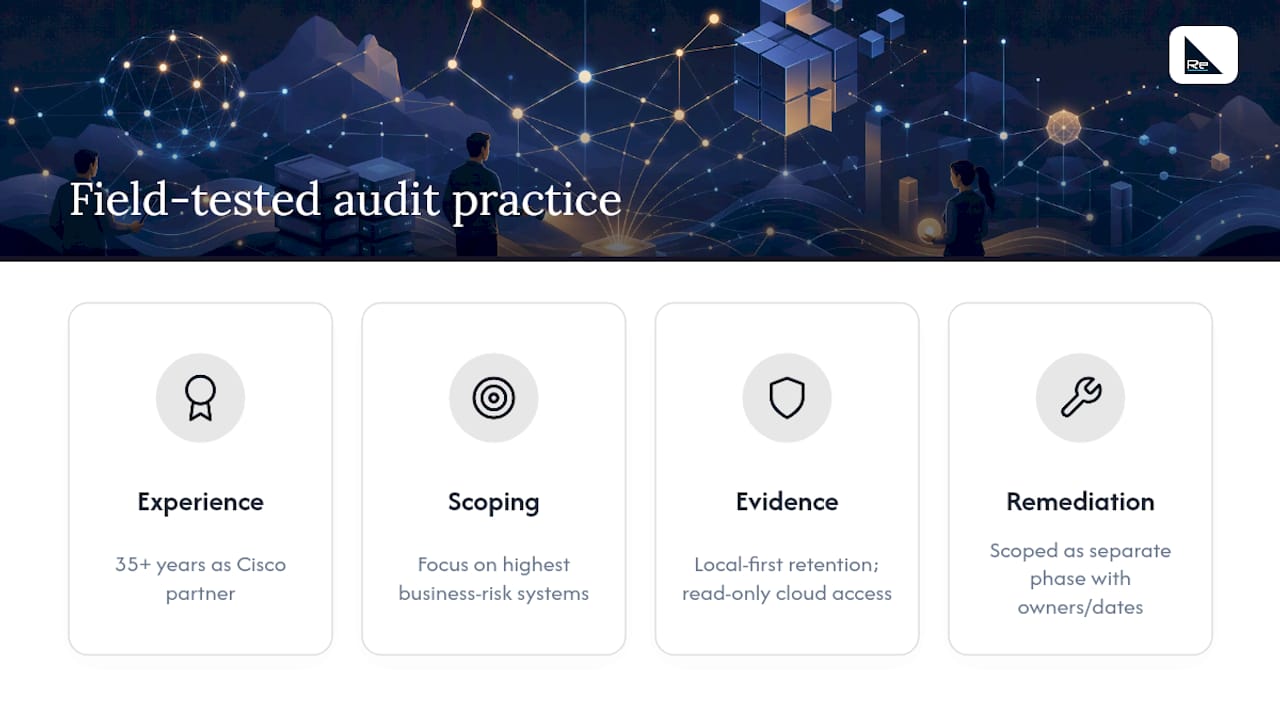
This checklist draws on how audits play out in real networks rather than theoretical best practice. Re-solution has worked as a Cisco partner for over 35 years, running network audits, NaaS, managed services, and compliance assessments across education, manufacturing, logistics, and hospitality environments.
Scoping typically starts with a conversation about which systems carry the most business risk, not a generic tool run. Evidence is handled with local-first retention and read-only access wherever cloud environments are involved. Where remediation needs specialist hands, that support is scoped as a distinct phase with its own owners and dates, not folded silently into the audit fee.
An auditor’s most useful habit
Reconcile scan results against live traffic within 24 hours, not weeks later. Shadow IT and forgotten test servers surface fastest when discovery data is still fresh in your mind, before the report writing buries the detail. The second habit matters just as much: chase the remediation owner in week one, not week eight, because a finding nobody actioned isn’t an audit result. It’s a missed opportunity with a date stamp on it.
— Jacob
A managed alternative: Re-solution’s network audit service
Running the full lifecycle above internally takes time most IT teams don’t have spare, particularly the verification and evidence-cataloguing steps that separate a credible report from a scanner printout. Re-solution’s network audit service exists for teams that want the same rigour without pulling engineers off day-to-day operations for two or three weeks.

The service follows the same structure this checklist sets out: scoping against your actual business risk, evidence collection with named owners, and a remediation plan with retest dates rather than a static PDF. It suits organisations preparing for a compliance deadline, onboarding new infrastructure, or simply wanting an independent second opinion on internal findings before they reach the board. If your infrastructure has grown faster than your documentation, start by reading how IT infrastructure challenges typically emerge, then get in touch to scope a network audit against your specific environment.
Primary sources and further reading
- NCSC guidance: shadow IT – managing unknown assets — essential reading on reconciling discovery scans with inventory.
- What Is a Network Security Audit? | Trend Micro — a clear breakdown of core audit domains.
- IT infrastructure security audit checklist | TechTarget — practical guidance on what to automate safely.
Sources
- NCSC guidance: shadow IT – managing unknown assets
- What Is a Network Security Audit? | Trend Micro (UK)
- IT infrastructure security audit checklist | TechTarget
FAQ
What are the 5 C’s of auditing?
Definitions vary across frameworks, but a common version covers Criteria, Condition, Cause, Consequence, and Corrective action — each finding should state the standard it’s judged against, what was found, why it happened, what it risks, and how to fix it.
What should be included in a network audit checklist?
It should cover asset inventory, firewall and perimeter review, segmentation verification, IAM and MFA enforcement, vulnerability scanning, monitoring and logging validation, backup and recovery testing, and third-party access review, each with evidence attached.
What are the 7 steps in the audit process?
A common breakdown is: planning and scoping, discovery, vulnerability scanning, penetration testing, verification, reporting, and validation/retesting, closely following the six-stage lifecycle used by practitioners in network security auditing.
What is the TPRM checklist?
Third-Party Risk Management (TPRM) checks focus on vendor access controls, remote management tools, and jump hosts, confirming every third-party account is still required and properly logged.
How much does a network audit cost in the UK?
Costs vary widely depending on network size, number of sites, and depth of testing required, so it’s best to request a scoped quote from a provider like Re-solution instead of relying on any generic figure.
Recommended
- Network infrastructure checklist: optimise compliance
- Network assurance for IT teams: a practical guide
- Guide to monitoring network health for reliable performance