
TL;DR:
- MFA reduces account compromise risk by requiring multiple verification factors.
- Effective MFA implementation depends on choosing secure methods like hardware keys over SMS.
- MFA is essential but must be part of a layered security approach to prevent bypass.
49% of breaches involve stolen credentials, and 81% of hacking-related incidents rely on compromised passwords. For IT and security leaders in education, manufacturing, and hospitality, that figure is not abstract. It represents student records, production systems, and guest payment data sitting behind a single, easily stolen password. Multi-factor authentication (MFA) addresses this vulnerability directly, adding layers of verification that dramatically reduce the risk of unauthorised access. This guide explains how MFA works, why it matters in your specific sector, and how to implement it in a way that is both secure and practical for your organisation.
Table of Contents
- Understanding multi-factor authentication and how it works
- The risk landscape: Why MFA is critical in modern organisations
- Sector spotlights: MFA’s proven impact in education, manufacturing, and hospitality
- Implementing MFA effectively: Best practices and pitfalls to avoid
- Perspective: MFA is vital, but not infallible — here’s what leaders must know
- Next steps: Strengthen your organisation’s security with expert guidance
- Frequently asked questions
Key Takeaways
| Point | Details |
|---|---|
| Credential attacks dominate | Most breaches stem from stolen or compromised login credentials. |
| MFA blocks most threats | Properly implemented MFA stops up to 99.9% of common cyberattacks including phishing and credential stuffing. |
| Sector-wide benefits | Education, manufacturing, and hospitality all see major operational and compliance gains from MFA. |
| Implementation matters | The effectiveness of MFA hinges on method choice, reducing fatigue, and ongoing management. |
| Layered defence is essential | MFA is critical, but should be part of a wider risk management and monitoring approach. |
Understanding multi-factor authentication and how it works
MFA is a security control that requires users to verify their identity using two or more distinct factors before gaining access to a system. Understanding the MFA basics helps clarify why combining factors is so much more effective than relying on any single method alone.
Authentication factors fall into three categories, as defined by NIST guidelines:
- Something you know: A password, PIN, or security question
- Something you have: A hardware token, authenticator app, or smart card
- Something you are: A fingerprint, facial recognition, or other biometric
The word multi is critical here. Using two passwords is not MFA. The factors must come from different categories, which is why combining a password with a push notification from an authenticator app qualifies, but two passwords do not.
Single-factor authentication fails for a straightforward reason: passwords are reused, phished, and leaked at scale. Once an attacker has a credential, there is nothing else standing between them and your systems. MFA closes that gap.
NIST SP 800-63B defines three Authenticator Assurance Levels (AAL) to guide organisations in choosing appropriate controls. AAL1 permits single-factor authentication for low-risk access. AAL2 mandates MFA using two distinct factors, covering most enterprise scenarios. AAL3 requires hardware-based cryptographic authentication, suitable for high-privilege access to sensitive systems.
| MFA method | Factor type | Assurance level | Phishing resistance |
|---|---|---|---|
| Password + SMS OTP | Know + Have | AAL1/2 | Low |
| Password + TOTP app | Know + Have | AAL2 | Medium |
| Password + push notification | Know + Have | AAL2 | Medium |
| FIDO2 hardware key | Have + Are | AAL3 | High |
| Biometric + hardware token | Are + Have | AAL3 | High |
Common MFA options in use today include time-based one-time passwords (TOTP), push notifications, hardware security keys such as YubiKey, and biometric verification. Each carries different trade-offs in security strength, user experience, and deployment complexity. Choosing the right combination for your organisation depends on the sensitivity of the systems being protected and the risk profile of your user base.
The risk landscape: Why MFA is critical in modern organisations
With a solid understanding of MFA, it is important to see how it directly addresses real security threats facing your sector today.
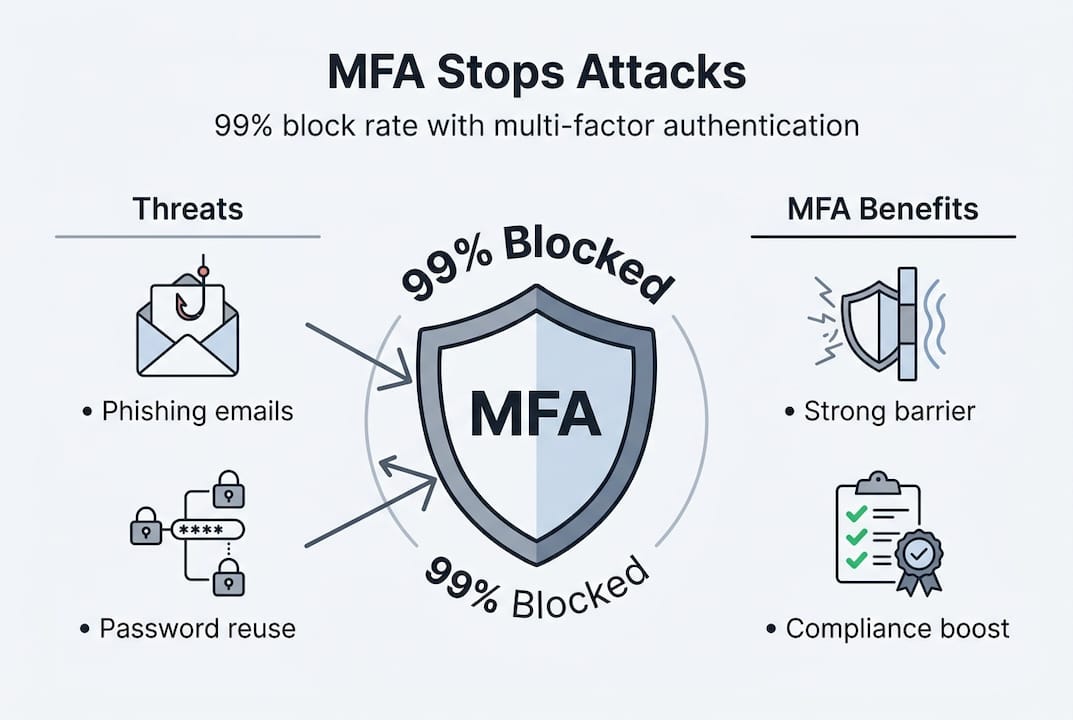
The scale of credential-based attacks is significant. MFA blocks 99.2 to 99.9% of account compromise attempts, 96% of bulk phishing attacks, and 99% of credential stuffing attacks. These are not marginal improvements. They represent a near-complete elimination of the most common attack vectors targeting your users.
Manufacturing faces particular exposure. 65% of ransomware incidents target the manufacturing sector, yet 66% of mid-sized manufacturers still lack MFA deployment, despite evidence that it blocks 99.9% of automated attacks. Additionally, 34% of breaches in the sector involve stolen credentials.
“The gap between what MFA can prevent and how widely it is actually deployed remains one of the most significant, and avoidable, vulnerabilities in industrial cybersecurity.”
Education and hospitality face different but equally serious threats. Universities manage thousands of user accounts across staff, students, and contractors. Hospitality organisations process payment card data and store guest personally identifiable information (PII), making them attractive targets for financially motivated attackers.
The mechanics of credential-based attacks are worth understanding. Attackers use phishing emails to harvest passwords, purchase leaked credentials from dark web marketplaces, or use automated tools to test millions of username and password combinations against login portals. Once inside, they move laterally across systems, escalate privileges, and deploy ransomware or exfiltrate data.

Effective ransomware prevention starts at the authentication layer. Addressing login security pitfalls and staying ahead of growing ransomware threats requires more than endpoint protection. MFA is the first and most impactful line of defence.
Pro Tip: Even if your organisation has strong password policies, those policies do not prevent credential theft through phishing. MFA neutralises stolen credentials by ensuring the attacker still cannot log in without the second factor.
Sector spotlights: MFA’s proven impact in education, manufacturing, and hospitality
The numbers tell a powerful story, but how does MFA work on the ground in your sector?
Education
Universities and colleges operate complex, distributed environments with thousands of concurrent users accessing systems remotely. During the pandemic, this exposure became acute. The University of Newcastle detected 200,000 suspicious login attempts after deploying MFA, demonstrating both the scale of the threat and the visibility MFA provides. Without MFA, many of those attempts would have succeeded silently.
Key lessons from the education sector:
- Remote access for staff and students must be protected with at minimum AAL2 controls
- Student portals containing financial and personal data require strong authentication
- Federated identity systems (such as those using SAML or OpenID Connect) can integrate MFA across multiple platforms without requiring separate logins
- Regular awareness training reduces the risk of users approving fraudulent push notifications
Manufacturing
Manufacturing environments often include a mix of modern IT systems and legacy operational technology (OT). The challenge is that OT systems were not designed with modern authentication in mind. However, IT-facing systems, including remote access portals, ERP platforms, and supplier portals, can and should have MFA enforced immediately.
Pro Tip: In manufacturing, prioritise MFA for remote desktop protocol (RDP) access first. RDP is one of the most exploited entry points for ransomware, and adding MFA here delivers immediate, measurable risk reduction.
Hospitality
Hospitality organisations must comply with PCI DSS (Payment Card Industry Data Security Standard), which requires strong access controls over cardholder data environments. MFA directly supports this requirement. Hyatt Hotels deployed phishing-resistant MFA using YubiKey hardware tokens across all systems handling PII and card data, significantly reducing MFA fatigue incidents where staff were repeatedly prompted by attackers hoping for an accidental approval.
For IT security improvements across all three sectors, the common thread is the same: MFA must be deployed on every system that handles sensitive data, not just the most visible ones.
Implementing MFA effectively: Best practices and pitfalls to avoid
Knowing the why and where of MFA, the focus now shifts to practical implementation.
The most important decision is which authentication method to deploy. Not all MFA is equal. Here is a prioritised approach:
- Avoid SMS-based OTP for high-risk systems. SMS is vulnerable to SIM swap attacks, where an attacker convinces a mobile carrier to transfer your number to their device.
- Use TOTP apps such as Google Authenticator or Microsoft Authenticator for general staff access. These are more secure than SMS and easier to deploy at scale.
- Deploy FIDO2 hardware keys for privileged accounts, administrators, and anyone accessing sensitive financial or personal data. These are phishing-resistant by design.
- Integrate MFA with Single Sign-On (SSO) to reduce friction. When users authenticate once with strong MFA and access multiple systems through SSO, adoption improves significantly.
- Apply role-based access control (RBAC) alongside MFA. Not every user needs the same level of access, and combining MFA with least-privilege principles limits the blast radius of any compromise.
MFA fatigue is a real and growing concern. Prompt bombing, where attackers send repeated push notification requests hoping a user approves one out of frustration, accounts for 14% of MFA bypass incidents. Phishing-resistant methods such as FIDO2 eliminate this risk entirely because there is no prompt to approve.
“Deploying MFA is not a one-time project. It requires ongoing monitoring, regular review of authentication logs, and periodic reassessment as new bypass techniques emerge.”
Partial enforcement is another common pitfall. If MFA is applied to the main portal but not to legacy applications or API endpoints, attackers will find those gaps. Reviewing digital security essentials for your organisation helps ensure no access points are left unprotected.
Perspective: MFA is vital, but not infallible — here’s what leaders must know
MFA consistently ranks as a top-tier security control, with 90% of security professionals rating it among the most effective measures available. That consensus is justified. But treating MFA as a complete solution is a mistake that creates false confidence.
Adversary-in-the-Middle (AiTM) attacks can intercept session tokens after a successful MFA login, bypassing the protection entirely. Legacy application flaws and partial enforcement gaps create exploitable blind spots. MFA fatigue exploits human behaviour rather than technical weaknesses.
The practical implication is clear: MFA must sit within a layered defence strategy, not stand alone. Combine it with network access controls, endpoint detection, RBAC, and continuous monitoring. Train users not just to use MFA, but to recognise when they are being manipulated into approving a fraudulent request.
Leaders should also consider the balance between security and usability. Overly aggressive MFA policies lead to workarounds and shadow IT. Addressing beyond login security means building a security culture where controls are understood and respected, not resented. MFA is a foundation, not a ceiling.
Next steps: Strengthen your organisation’s security with expert guidance
Deploying MFA is a critical step, but it is one part of an ongoing security journey. Organisations that treat it as a checkbox exercise often leave significant gaps that attackers are quick to exploit.
Re-Solution works with educational institutions, manufacturers, and hospitality businesses to design and implement layered security strategies that include MFA, network segmentation, and continuous monitoring. Our managed network security services provide the infrastructure foundation, while our security services guide outlines the full range of controls available to your organisation. To discuss your specific requirements and build a security roadmap that fits your sector, speak to a security expert at Re-Solution today.
Frequently asked questions
What is the difference between MFA and 2FA?
2FA requires exactly two authentication factors, while MFA requires two or more factors from distinct categories, offering greater flexibility and the option to scale security requirements upward.
Is SMS-based MFA secure enough?
SMS authentication is better than passwords alone, but SMS is vulnerable to SIM swap attacks; hardware tokens and FIDO2 methods offer substantially stronger protection for sensitive systems.
How does MFA help with compliance requirements in hospitality?
MFA directly supports PCI DSS requirements by securing access to cardholder data environments, and Hyatt’s phishing-resistant MFA deployment demonstrates how leading hospitality brands protect guest PII and payment data in practice.
Can MFA be bypassed or defeated?
Yes, poorly implemented MFA can be bypassed through prompt bombing and session hijacking; phishing-resistant methods such as FIDO2 hardware keys eliminate the most common bypass techniques.
What’s the first step to deploying MFA organisation-wide?
Begin with a risk assessment to identify your highest-value systems, then prioritise AAL2+ methods for privileged and remote access before rolling out to broader user populations.
Recommended
- MFA: All You Need to Know | Re-Solution
- Why Login Security Isn’t Enough | Re-Solution
- IT Security: Ways to Improve Yours Today | Re-Solution
- The Importance of Strong, Secure Passwords | Re-Solution